
Issue:
Navigation bar or menu bar is missing or not visible in Fusion
Solution:
Try one of the following suggestions to get the navigation bar.
- Click the "Maximize" icon at the right top corner of the Fusion screen, in case the toolbar is off the screen.
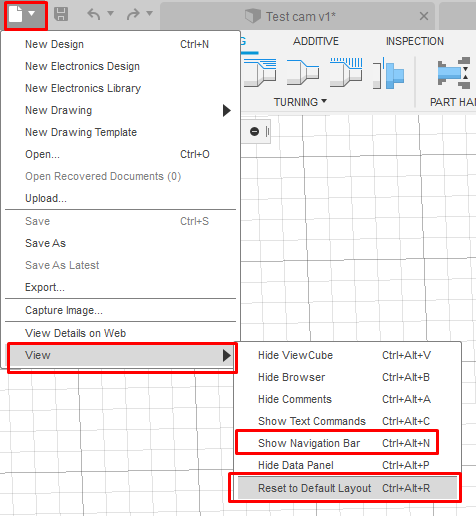
- File > View > Show Navigation Bar.
- File > View > Reset the Default Layout.
Note: You may need to close and re-open the active document for changes to take effect.
Change the preference settings.
- Go to Preferences.
- General > Select Graphic Driver > Open GL and restart the Fusion.
- Use the Service Utility to Repair Fusion.