
Issue:
How to project a sketch or text to a curved surface in Fusion.
Solution:
Use Emboss command
Refer to the steps within the article: How to emboss/deboss on curved surface in Fusion
Use Project to Surface
To project a Sketch or Text on a surface, do the following:
- Create a Sketch.
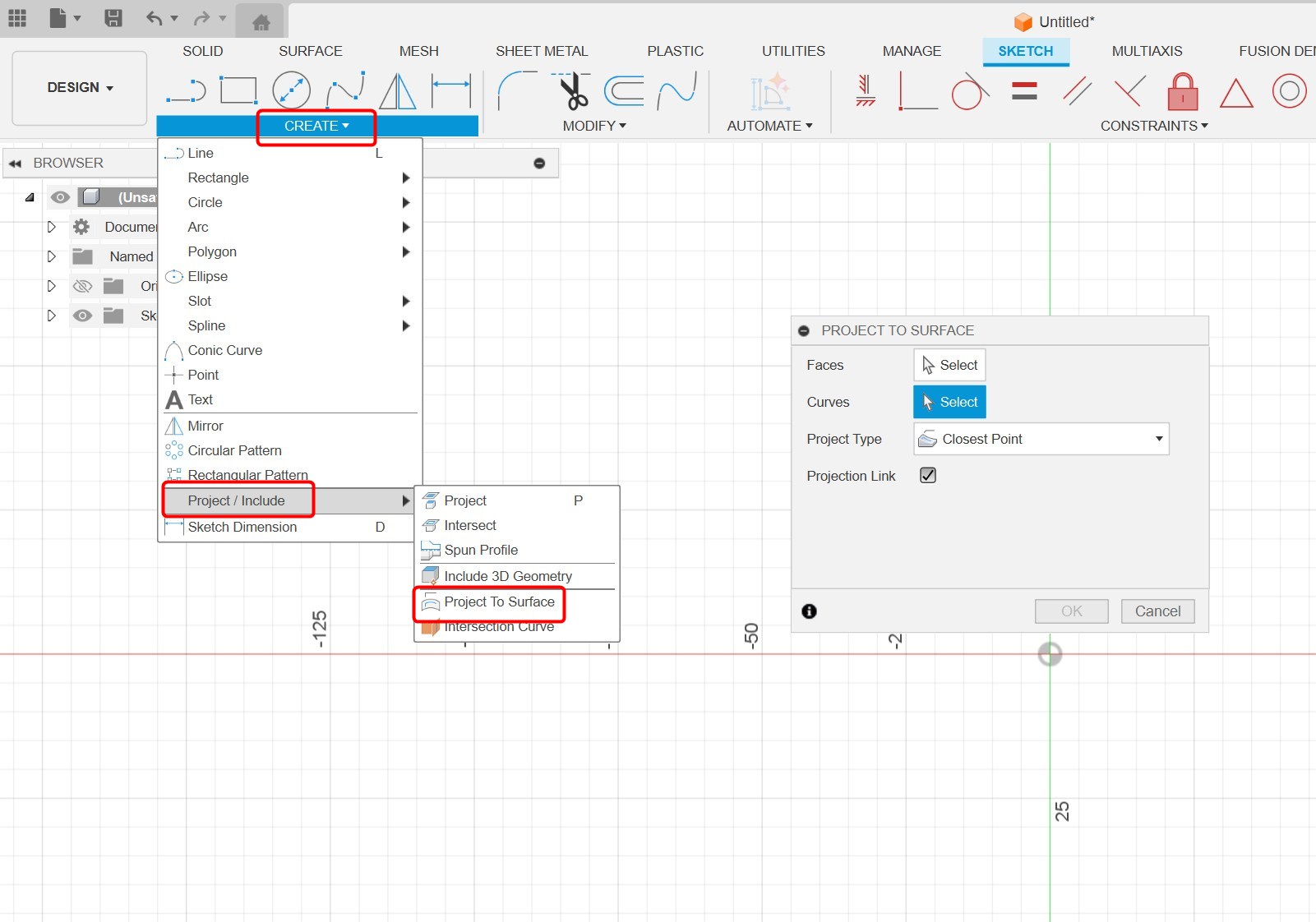
- Select Create > Project/Include > Project to Surface.
- In the Project to Surface dialog box, click Faces.
- Select the surface for projection.
- Click Curves.
- Select the Sketch or Text to project.
- Click OK.
Note: Text may not be selectable, in that case it should be exploded. Refer to How to explode text in Fusion. Also, make sure to use the "Project to Surface" command in a new sketch.
See Also: