Issue:
How to use optimal graphics card and a graphics card driver to maximize the graphic effect in Fusion.Solution:
Graphic card driver requirements
- The minimal requirements can be found here: System requirements for Autodesk Fusion.
- The list of Certified graphics hardware for Fusion is available here.
Define the driver in Fusion
- Fusion will automatically choose the optimal graphics driver and will show which is being used in the Graphics Diagnostic.
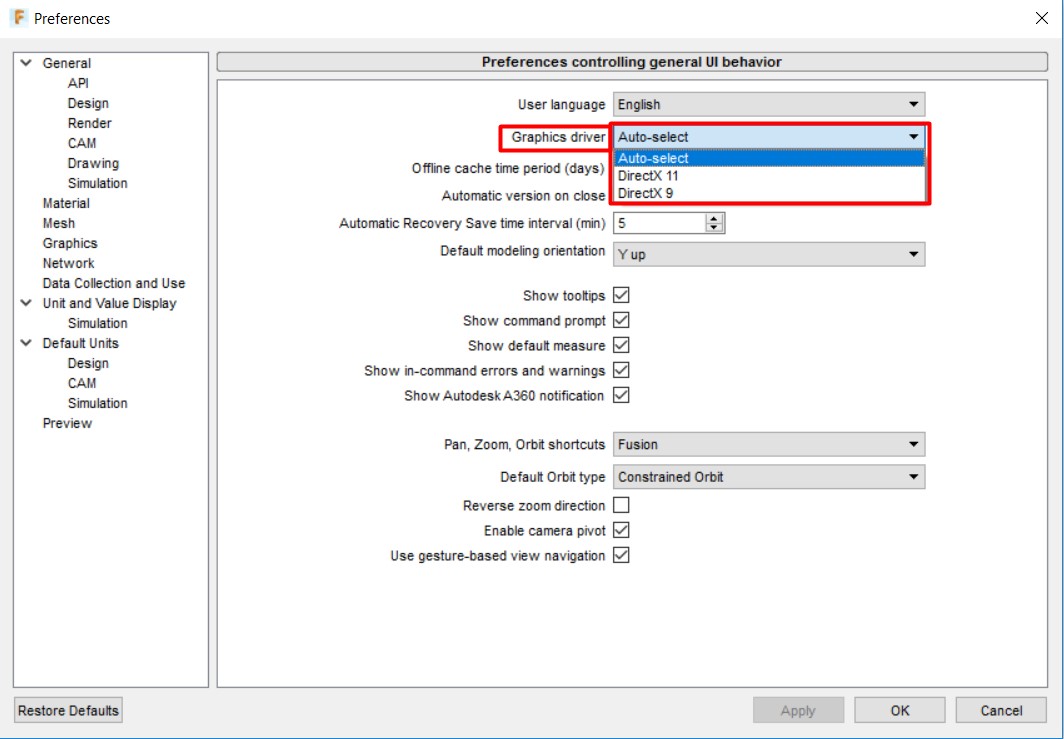
- Perform the following to specify the driver:
- Click the Profile icon in the top-right corner of Fusion to expand a drop down menu.
- Select Preferences.
- Select the General tab shown on the left of the Preferences dialogue.
- Click the drop-down menu next to graphics driver.
- Choose the desired graphics driver for Fusion to use.