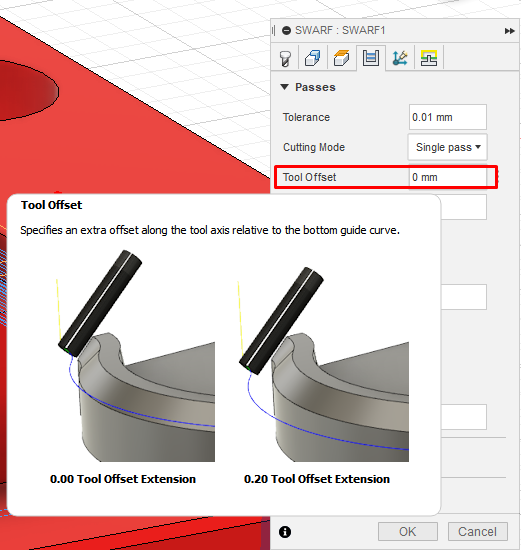
Issue:
When cutting a groove with a ball nosed cutter, using swarf in Fusion 360, the tool does not reach the bottom of the slot. The tip of the tool is at the same height as the bottom of the selected surface and not at the bottom of the radius.Environment:
This article applies to the operating systems listed. If your operating system is not shown, it may be because it is not supported or because support information is not yet available. For details on operating systems no longer supported by the vendor, see Product Support Lifecycle.Solution:
To correct the toolpath depth, do the following:- Edit the toolpath.
- Select the Passes tab.
- Use the Tool Offset function to move the tool, along the tool axis, by the radius of the tool.
- Set Bottom Height at a lower value.
- Recalculate the toolpath.