
Issue:
When importing DXF file to Fusion 360, the following warning message shows up: "The selected DXF file does not contain units information. The design's units will be used. you can change this with the units dropdown."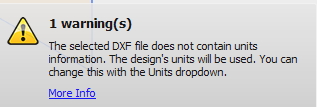
Environment:
This article applies to the operating systems listed. If your operating system is not shown, it may be because it is not supported or because support information is not yet available. For details on operating systems no longer supported by the vendor, see Product Support Lifecycle.Causes:
The DXF file created by the 3rd party application and it doesn’t contain the unit information.Solution:
Use the following suggestions to insert DXF with the desired units in Fusion 360:Use Insert DXF workflow that allows selecting the desired units:
- Click on the Insert group, and select Insert DXF from a dropdown list.
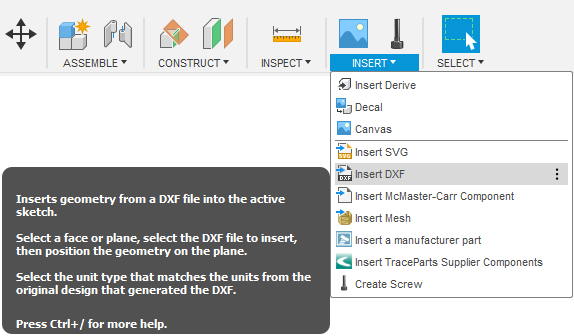
- Select a Plane to insert a sketch.
- Select the DXF file.
- Select the desired Units.
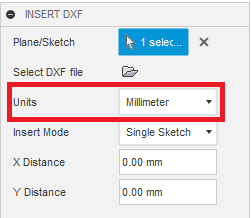
- Press OK.
Modify the DXF file using a text editor.
- Follow the steps from the video: Unit information through text editor.
- Click on File and Open.
- Use Open from my computer... to upload the modified DXF file.