
Issue:
A design cannot be moved between projects in Fusion, and a design cannot be derived or linked into a design in a different project.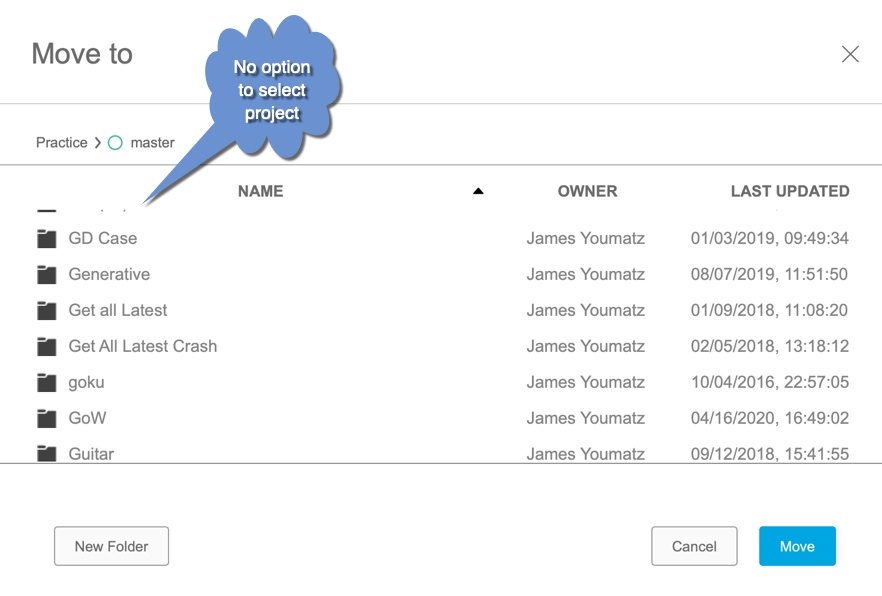
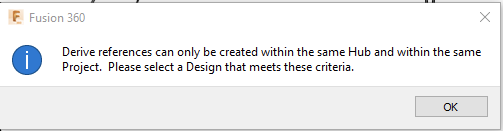
The following message may also appear when trying to save the file:
"Derive references can only be created within the same Hub and within the same Project. Please select a Design that meets these criteria."
Causes:
This occurs when the following conditions coexist:
- Using Single-User Storage (previously known as a Personal Hub).
- The file references (either "Uses" or is "Used In") a file that is saved in another Project / hub.
With Single-User Storage, only files that don't contain external references and aren't part of a distributed design can be moved. This limitation applies to all versions of a file, so that even if only one version contains the external references, none of the other versions can be moved.
Solution:
Work through the following solutions:
- Upgrade from Single-User Storage to a Fusion Team Hub See: How to transfer Fusion projects from Single User Storage to a Fusion Team Hub.
- Save the design in the same project as all linked designs in that file.
- Remove Machines from the Manufacturing Setup. The Machine model may be stored in another project.
- Export the file and upload it into another Project. Note: All version history associated with the file will be lost.