
Issue:
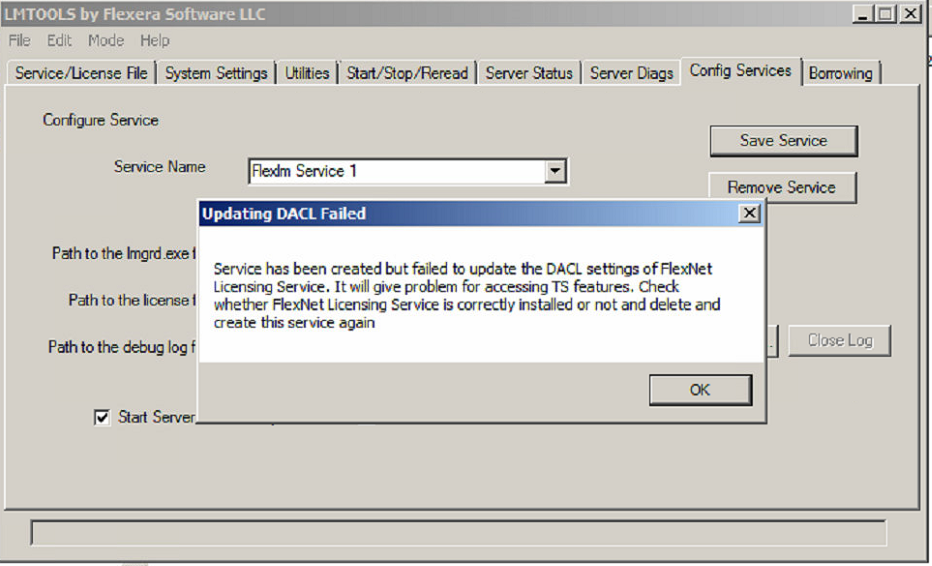
When you try to save the LMTOOLS configuration setup, you see this error message:Updating DACL Failed
Service has been created but failed to update the DACL settings of FlexNet Licensing Service. It will give problem for accessing TS features. Check whether FlexNet Licensing Service is correctly installed or not and delete and create this service again.
Causes:
This error is caused by one of these conditions:- A permissions problem with the debug.log file
- A bad installation of the Network License Manager.
Solution:
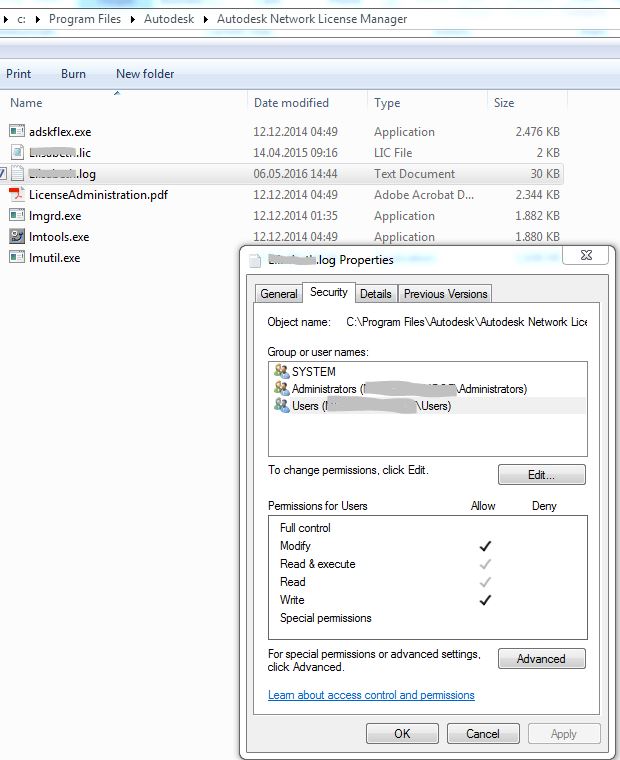
Perform the following steps.- Go to the Windows Security properties for the defined debug log.
Note: The default path to the debug log is C:\Autodesk\Network License Manager\*.log.
- Verify that the Windows Users group allows both Modify and Write permissions.
- Add a LOCAL SERVICE group in the Group or user names list and give it Full Control permissions,
- If the problem persists, use the Windows Uninstall control panel to remove Network License Manager and reinstall the latest version.
Note: Copying the extracted LMTOOLS files and overwriting older files to upgrade the Network License Manager may not work properly.