
Access the Electronics Bill of Materials
In the Electronics workspace, do one of the following:
In a Project, in the Common tab, click Bill of Materials

In a 2D Schematic, in the Document tab, click Bill of Materials
In a 2D PCB, in the Document tab, click Bill of Materials
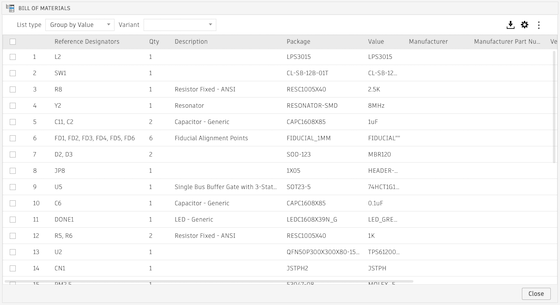
The Bill of Materials opens.
Additional Information
- Automatic updates: As you modify your design, the Bill of Materials updates automatically
- Multitasking: You can work on your design with the Bill of Materials dialog open
- Cross selection: You can select items both from inside the Bill of Materials and in the Fusion canvas. Selections in one are reflected in the other.