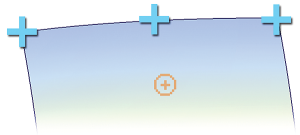
The curve snap attaches to any curve, line, arc, surface edge, iso-curve or face edge.
Corners can be found by clicking on an edge, holding down the mouse button and dragging the cursor until it reaches the blue cross, which turns yellow to indicate that it has been accurately snapped to.

Mid-Points and sub-divisions can be found by changing the settings in the Curve Snap Options, next to the snapping icons (top right).