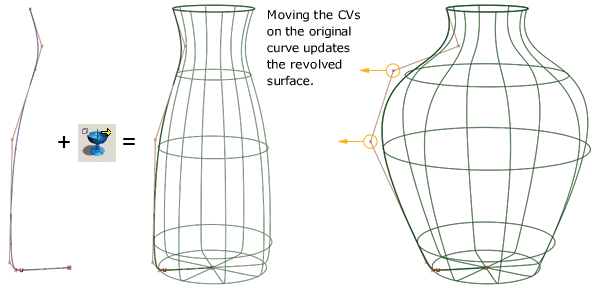
Alias offers solid Construction History support. There are two areas of Construction History to understand in Alias.
Geometric dependency and association. If a curve upon which a surface is based is modified, the surface is modified. the surface updates interactively when the Preferences Performance OptionsConstruction History Updates During Transform option is set ON.
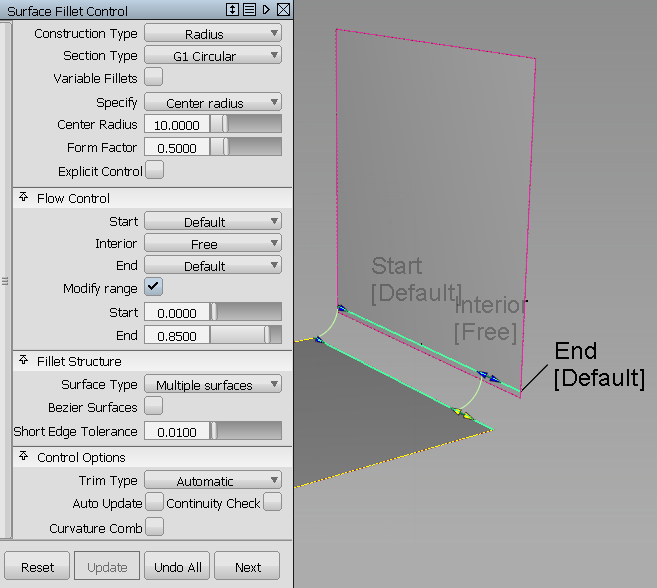
Tool options and parameters. Some tools offer options that are editable after the object is created, either with locators, or by changing information in an option window.
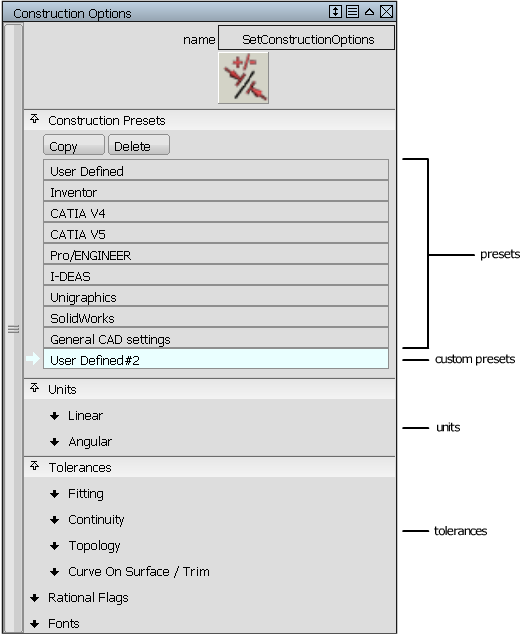
Construction Options (called "Tolerances" in Rhino)
Set the appropriate construction options (PreferencesConstruction Options) to ensure the quality of your models reflects your construction criteria. Construction options change, depending on the CAD application the data will be sent to downstream (if any). The presets available are good starting points. You can copy and customize the settings for your specific needs.
Construction options only apply to surfaces created after the construction options are set. Changing construction options in a file with existing geometry won't re-generate the existing geometry to fit the new construction options; it only affects new surfaces. Old surfaces that need to fit the new construction options may need to be rebuilt.