Each time you start Autodesk InfraWorks 360 or close the current model, you see the Start page: 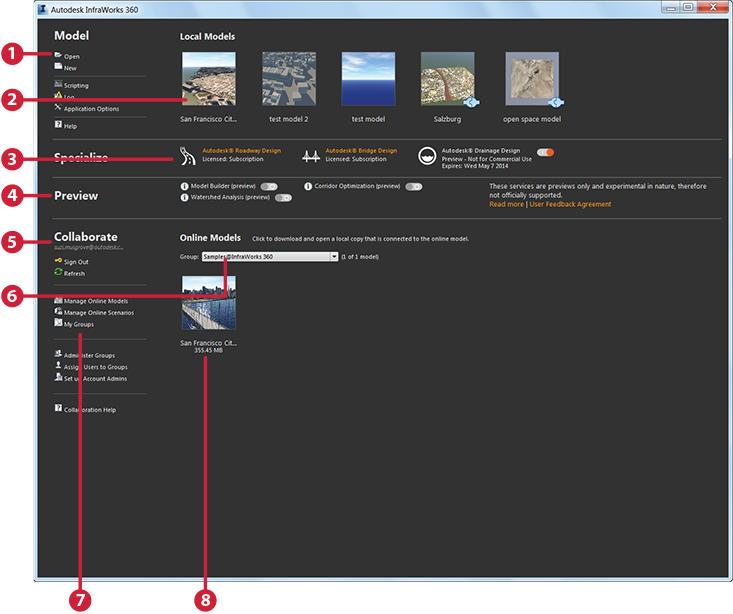
- Commands related to local models are available here.
- Recently-used local models appear in the upper section. Click a thumbnail to open a local model.
- Vertical applications
- Preview features
- Sign in to see online models and use collaboration features.
- Switch groups to see online models associated with those groups.
- Commands related to online models appear here.
- Recently-used online models are listed in the lower section. Scroll to see more. Click a thumbnail to download, connect to, and open an online model.