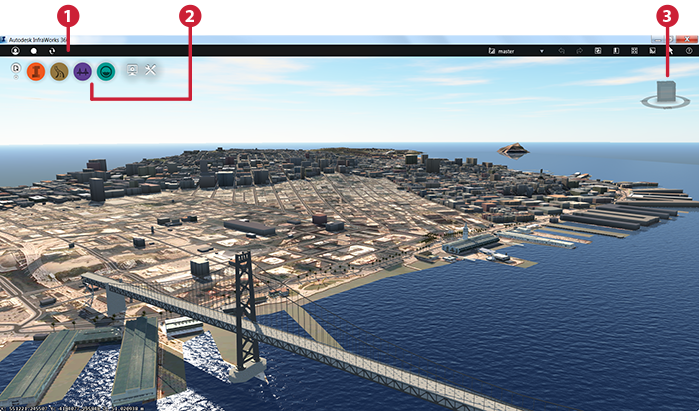
Elements of the user interface include:
- The Utility Bar provides access to the following functions:
- Autodesk 360 Utilities: Sign in so you can share models and proposals via the cloud. Use Design Feed to include comments with your models, proposals, and published scenarios. Sync to get the changes made by others and to share your changes with others.
- General tools you will use across all phases of your work.
- Intelligent Tools provide the set of tools appropriate for the phase of work being done.
- The ViewCube is a persistent, clickable, and draggable interface that you use to switch between standard and isometric views of your model. Position the cursor over the ViewCube tool to activate it.