Background effects change the background of the image when rendered and include plain colors, graduated colors, procedural clouds, and image files (tiled or scaled).
Most backgrounds can be rendered interactively in Viewport so you have a good preview of how the background will be fully rendered.
Double-click an effect in the palette to open the Background Editor. Each editor will be different for each type of background. The Scaled Image editor is shown here:
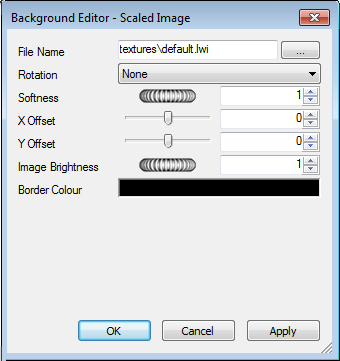
In the Background Editor, you can change backgrounds by clicking the Browse button (...) next to the File Name field and open a new image as the background.
Editing parameters in the Background Editor will interactively alter the scene with those changes. At any time, click Apply to apply the parameter edits to the scene.
You can save an edited background for use in other scenes by dragging it into the Backgrounds folder inside the My Effects user archive.
Environment Background and Reflections
Environment backgrounds are a special kind of background that move with the model and allow reflections from reflective model parts.
Environment backgrounds not only make the scene look more realistic for static images of the model, but completely transform the realism effect in animations. This is because as in real life, by moving an object around in the background, the environment also changes. For example, looking up to the top of a building, the background will be the sky, whereas, an aerial view of the building will have the surrounding buildings or landscape as the background.

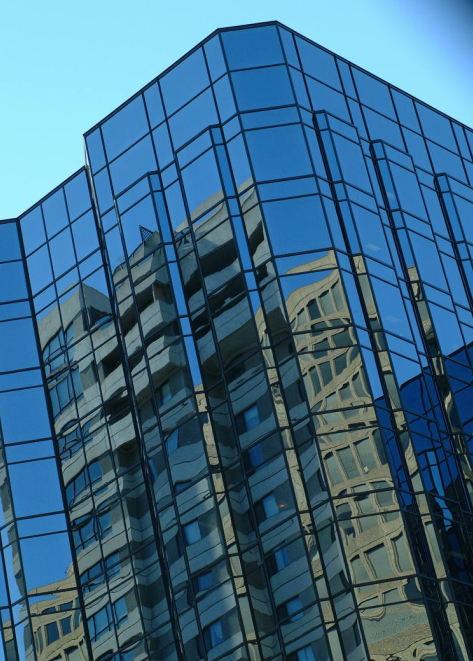
Another benefit of using environment backgrounds is that reflection properties of materials in the model are able to reflect the environment (for example, when looking up, towards the top of a glass-fronted building, the sky is reflected in the glass.
Environment backgrounds are images wrapped around the model. The recommended images to use are vertical cross maps. These images are automatically placed on the inside of a cube that then surrounds the scene. Due to the nature of the feature, edges and corners become indistinguishable. A wide variety of environment maps are available for purchase on the Internet.
Setting up an environment background consists of two components: the background image, such as the sky over the desert, and the environment that holds the background image.