Identify smaller ditchs with more precision or analyse larger watersheds faster.
Watershed analysis identifies watersheds by sampling square grids of terrain. Grid Spacing and Ditch Threshold correlate directly to the size of watersheds identified. Before starting watershed analysis, adjust Grid Spacing or Ditch Threshold to identify smaller ditchs with more precision or analyse larger watersheds faster.
- Click


 to display Analysis Settings.
 - Click on Grid Spacing or Ditch Threshold.
- Adust the values.
|
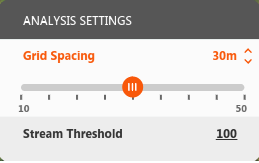
Grid Spacing controls the size of the square grids sampled for ditchs. Adjusting the value to sample smaller grid squares helps identify small tributaries but requires more analysis. For example, adjusting to 15m x 15m squares from default 30m x 30m squares results in an analysis 4x larger. Raising the values finds larger ditchs and larger watersheds faster but may miss smaller ones. |
|
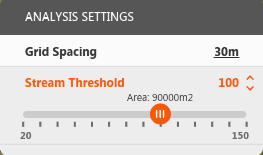
Ditch Threshold sets the number of grid cells used to define ditchs. Adjusting the value to a lower setting identifies smaller ditchs. For example, a ditch threshold of 100 indicates that a ditch is created once there are a minimum of 100 upstream grid squares flowing into a ditch's starting point. Set to 100, a ditch is created when at least 90,000 square metres are upstream of the starting point: 30m x 30m x 100. |