Utilising E-Links
- Open "Services.CAJ". The master "Services" model will be present.
- To import External model links "E-Link", select within the "Workspace" toolbar "E-Links".
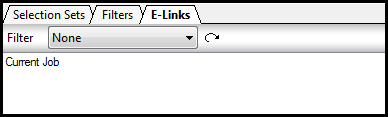
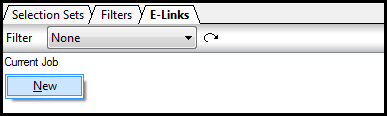
- Within the Dialog illustrating "Current Job", right click then select "New".
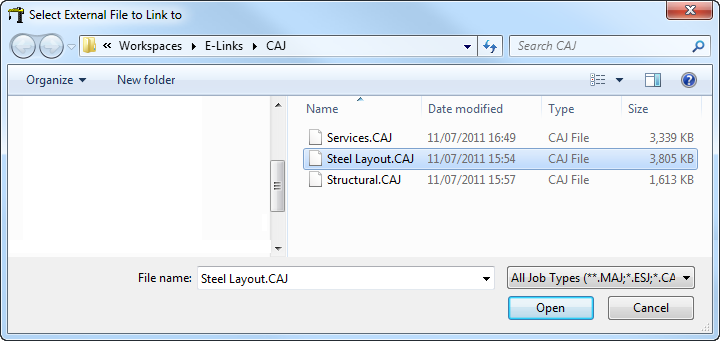
- The user will be presented with a "Select External File to Link to" dialog, at this stage navigate to the required model, please note various model formats can be utilised refer to E-. Select "Steel Layout.CAJ" then "Open" to proceed.
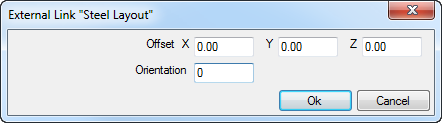
- The External Link Menu will appear indicating the Offset Location and orientation of the Job / Model that will be inserted into the "Services" master model. As default the Offset Co-ordinates will be set @ X = 0.00, Y = 0.00, Z = 0.00 with an Orientation Angle of 0?. Note these can be amended to suit various co-ordinate references depending on the models datum location. Select "OK" to finalise.
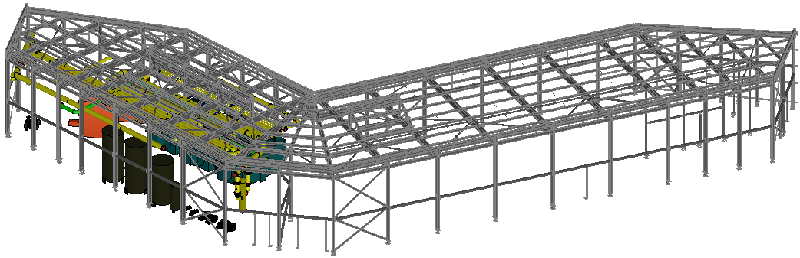
- The "Steel Layout" will now be visible in the master "Services" model.