Some fittings use options that are set by the pattern and which the user cannot change. Under normal circumstances, these options are not displayed. However, when importing a file or files into the program through an ASCII text file, the true position of pattern options is required, including any hidden ones. There is a switch in the database that allows the true display of these hidden pattern options.
To access these options Click on File  Setup Database Fittings on Pattern SwitchesTab or select the Database icon from the Utility Bar.
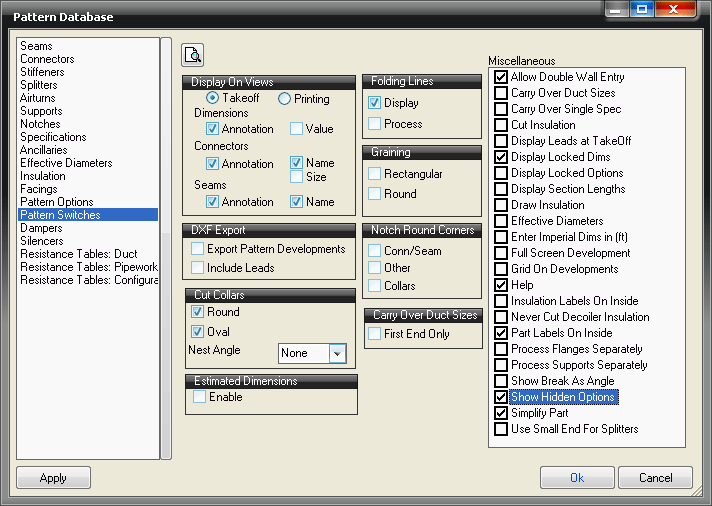
This feature is controlled by clicking the Show Hidden Options box in the Miscellaneous section of the screen. Note, though, that this feature is only useful for users who import fittings into the program using the ASCII text file format. As an example, consider the impact of this setting on the Taper pattern, CID number 2. Without the Show Hidden Options box being checked, this is how it would appear in the Takeoff screen:
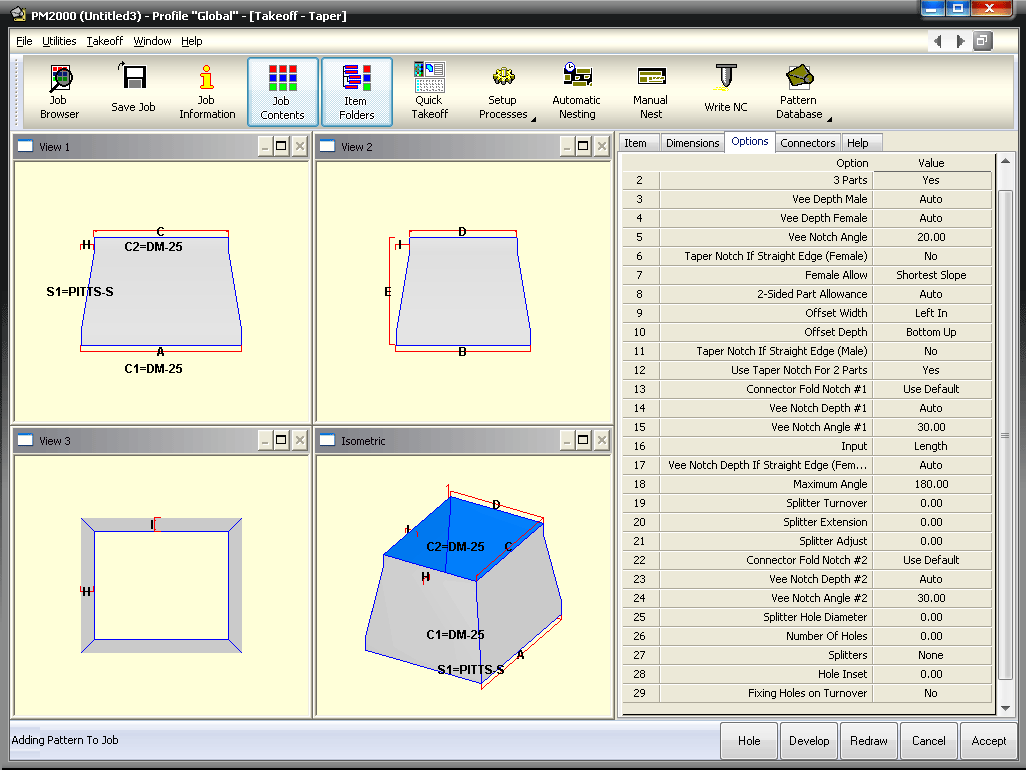
Note that the Vee Notch Depth appears to be the fourteenth entry on the screen. With the option checked, you see all of the parameters, as follows.
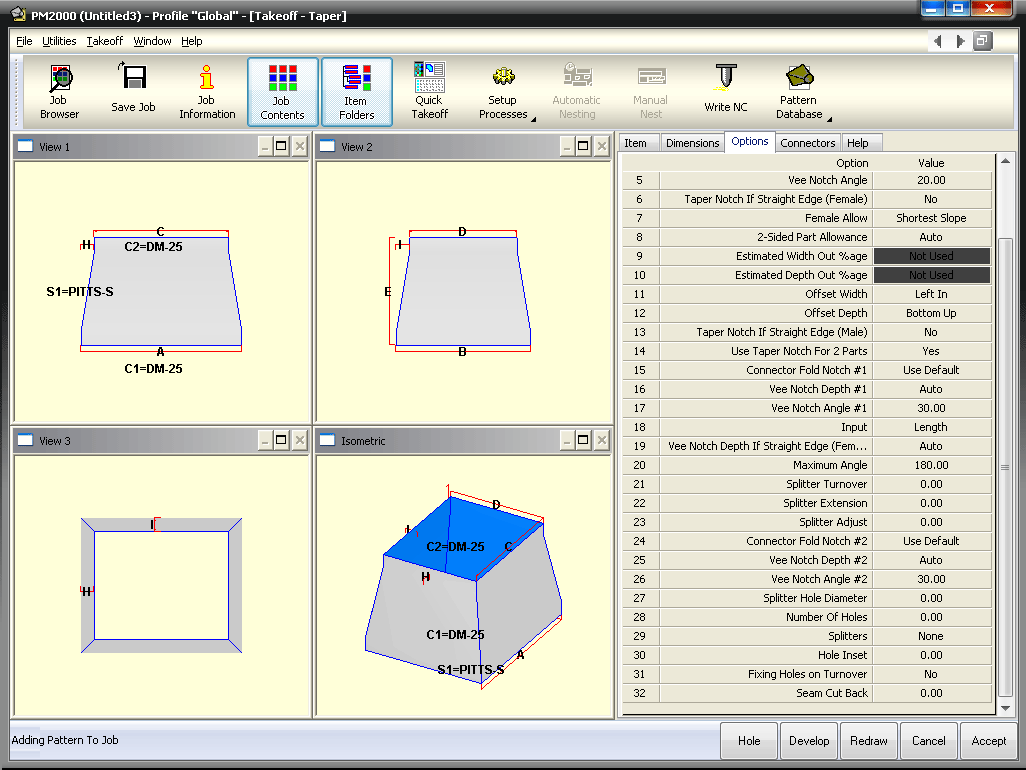
The hidden options are the Estimated Width Out and Estimated Depth Out fields at positions nine and ten. The true location of the Vee Notch Depth field is position sixteen. So in this example, for users who are importing using the ASCII text file format, if they are intending to enter a Vee Notch Depth value, then it is essential that they enter the value as the sixteenth parameter, not the fourteenth.