Remark gives the option to insert text data at the start of the NC code for ease of reading. Most controllers allow remarks to be included between remark start and end codes. To access and amend this feature:
- Click on File > Setup > Installed Machines or select the Installed Machines icon from the Utility Bar.
- Select the machine you wish to change or click
 to add a new one.
 - Double click it or click on the
 button.
 - Select the Remark tab.
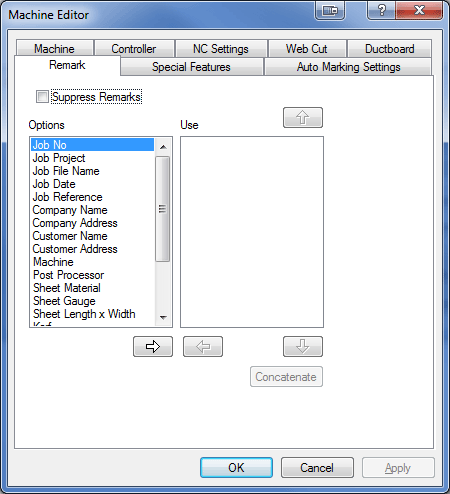
Suppress Remarks
If ticked, all remarks will be removed from the NC code.
Options / Use
Any comments listed in the right hand column will be included. To add a remark, click on the comment in the Left hand column and click the arrow pointing to the right.
The Concatenate button will collect all the remarks into a single statement. 