Statuses can be created for each stage of the Tracking cycle within either CADmep, CAMduct or ESTduct packages.
- For CAMduct and ESTduct, this is accessed through File > Setup > Service Database > Item Statuses.
- For CADmep can be accessed by selecting the Service link next to the Services selection drop down.
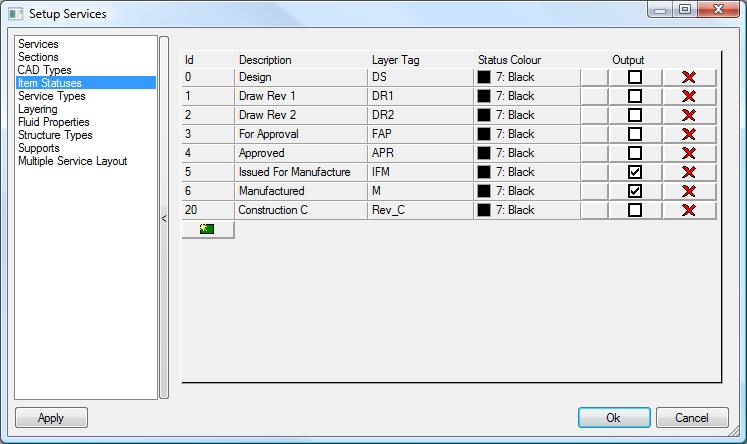
Layer tags are commonly used in CADmep for assigning colour and visualising the percentage completed of the drawing.
Only items that are assigned statuses with Output = Enabled will be saved in the MAJ file when the drawing is saved for manufacturing. SHIFT Right Click > CAM Out.
In addition to Statuses, reports can also be used by Trackit. Ensure all Processes, Reports, Labels and Database Export formats are pre-configured prior to moving on to the Configuring Statuses topic.
Reports can be created through File > Print Layout within CAMduct, ESTduct and Profilemaster. For more information on configuring reports please use the in-built help of the software in use. Database Export Formats accessed through File > Export > Item Data Fields. Help can be found in the applications in-built help file.