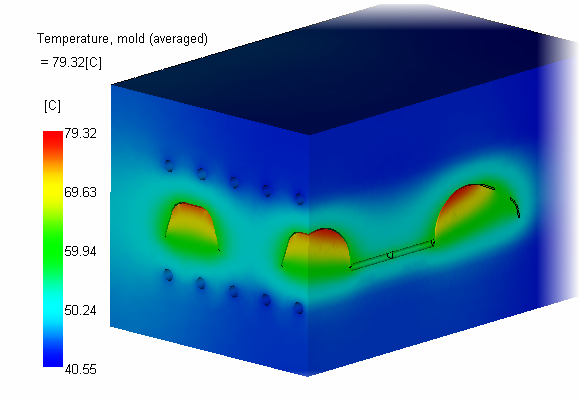
In this task, you interpret the temperature, mold (averaged) results.
-
Ensure that all results are off.
-
Ensure that only the Mold Tetras layer is on.
-
Click Temperature, mold (averaged).
-
Click .
-
Check Plane YZ, then Make active.
-
Click the To a Point tab.
-
Enter 0 -50 in the point field and click Apply.
-
Uncheck Show Active plane.
-
-
Click .
-
Check Plane ZX, then Make active.
-
Click the To a Point tab.
-
Enter 0 -50 in the point field and click Apply.
-
Uncheck Show Active plane.
-
-
On the Cutting Planes dialog box, Select a plane and click Flip as necessary so the most of the mold is still visible.