In this step, you look at the quality of the mesh by using Mesh Statistics and Mesh Diagnostics.
-
Click
 () to display the Mesh Statistics panel.
 -
Click Show on the Mesh Statistics panel to display the Mesh Statistics dialog box.
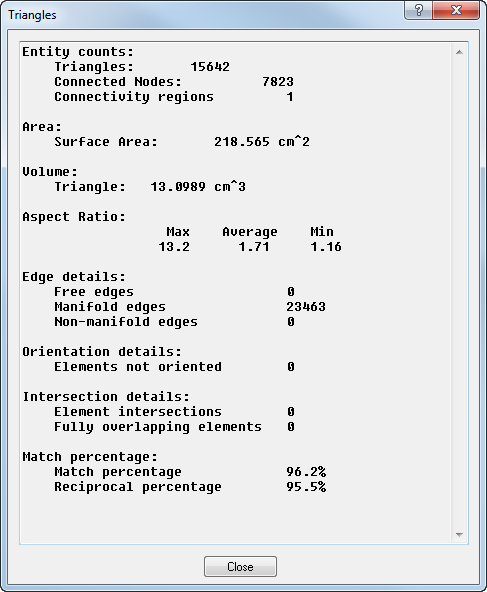
The only problem indicated is the Maximum aspect ratio is a bit high. It should be under 6:1, although the current value is not too bad.
-
Click
 () to display the diagnostics panel, then click Show.
 -
Click
 () to find the element with the highest aspect ratio. It has a red line coming out of it. Rotate the part to find the element if necessary.