Here are two models that you can use to explore Autodesk® Simulation Mechanical 360. Both are set up, so all you need to do is run them and view the results. Each simulates a different engineering problem, so please pick the one that is most interesting to you.
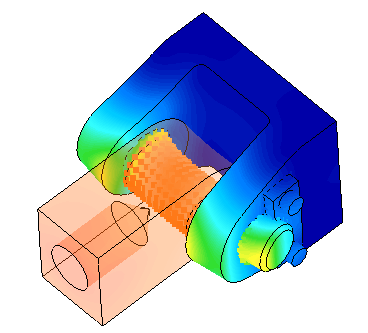
Linear Static Stress: Hydraulic Cylinder Pin Joint
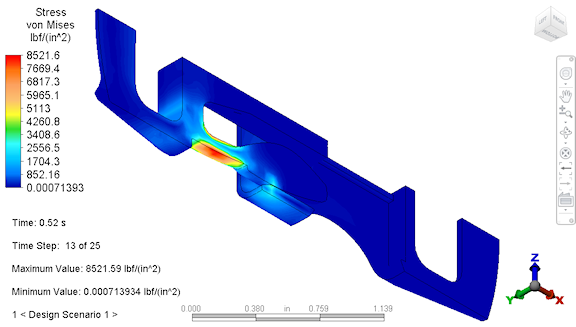
Non-linear Mechanical Event Simulation: Snap-Fit Clip Assembly
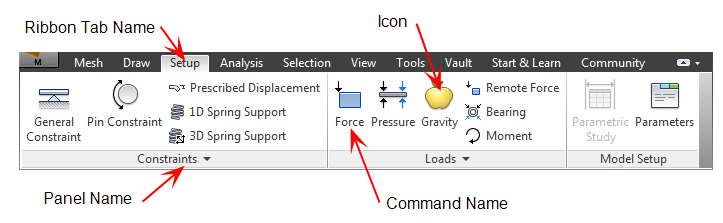
Throughout the models, the following notation is used for the commands in each step:
{icon image} Ribbon Tab NamePanel Name
Cloud Notification Setup
Before analyzing any model, you can configure Simulation Mechanical 360 to alert you by email when the simulation has finished. To do this, follow this procedure:
- Click
 Tools Options Application Options
 - Access the Analysis tab of the Options dialog box.
- Type your email address into the Cloud notification email address field.
-
Click OK to accept the changes and close the Options dialog box.
Autodesk® Simulation Mechanical 360 Resources
Product Help
For a comprehensive description of how to use Simulation Mechanical and Simulation Multiphysics, Fatigue Wizard, tutorials, example models, and more, please see the Autodesk® Simulation Mechanical Help. Be sure to check out Quick Start to quickly learn the basics of Simulation Mechanical 360.
Knowledge Network
The Autodesk® Knowledge Network contains Support, Learning, and Community information about Simulation Mechanical. You can view articles written by Autodesk® Technical Support teams, post a question, or simply reach out to other Simulation Mechanical users.