After installing either Autodesk Simulation Flex or Autodesk Simulation Moldflow Flex, start one of the components, and sign in to Autodesk 360. Note that this step is required to use any Autodesk Simulation Flex or Autodesk Simulation Moldflow Flex component.
Note: You can confirm your login through http://accounts.autodesk.com/.
To sign into Autodesk 360:
- When you first start an Autodesk Simulation Flex or Autodesk Simulation Moldflow Flex component, you will automatically be prompted to log into Autodesk 360.
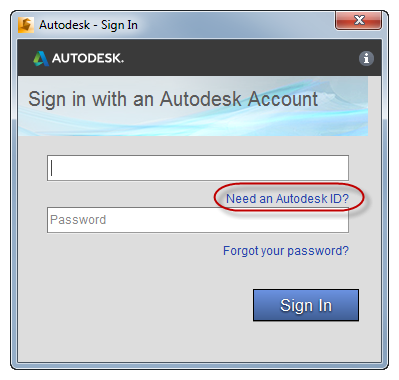
- If you do not have an Autodesk ID, click Need an Autodesk ID? on the Autodesk - Sign In dialog box.
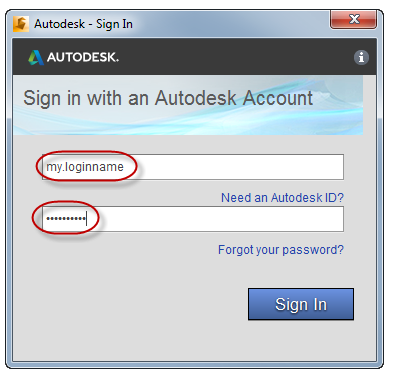
- In the Autodesk - Sign In dialog box:
- Enter either the Autodesk ID or the e-mail address you used when you registered your account.
- Enter your Password.
- Click Sign In.
You are successfully signed in when your login name (or e-mail address) replaces the word "Sign In" on the Sign-In button:
