Simplified user interface
A new and simple UI allows you to quickly create image content. It is designed for casual users who are not familiar with visualization tools. The main intention was to reduce the set of features to the minimum required to become productive in VRED.
The Quick Access bar has changed since the older advanced UI. The module arrangement follows phases within the production process.
Asset Manager helps manage items like geometries, materials, and environments beyond a single project. Several global assets stored in the network can be accessed from a local folder supporting standardization throughout several projects or across multiple departments.
Simple UI offers a new scene module, which contains all scene elements like geometry, materials, environments, lights, cameras, and render settings.
Animations can be easily created by using a wizard. This wizard guides users through each step whether animating a geometry, material, or environment.
The new Variants Module makes variants of object material, its visibility state, lights, environments, and viewpoint accessible by one click.
VRED (Virtual REality Editor) 2015 offers a Render Queue feature that lets you prepare viewpoints, send them to the job queue, and execute once satisfied with the current settings.
RayFile visualization
VRED Professional now supports RayFile visualization. All light-emitting surfaces can be used as a light source, so no photon mapping is required for rendering RayFiles. Simple path tracing is enough.
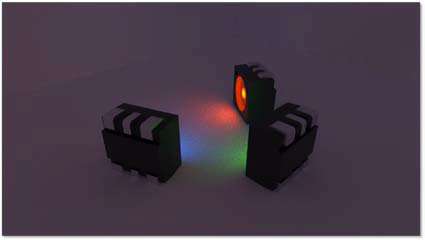
RayFile also offers the capability to look directly into illuminated light sources. For example, light pipes, headlights, or any light source using a RayFile as a calculation basis. All effects like specular reflections/refractions are visible.
VRED is the only solution that is able to look directly into RayFiles. This feature allows you to see how presimulated RayFiles from Simulation tools like Lucidshape, behave inside a light source. This helps to understand lighting distribution inside a scene, behavior of light sources, and how it would behave in reality.
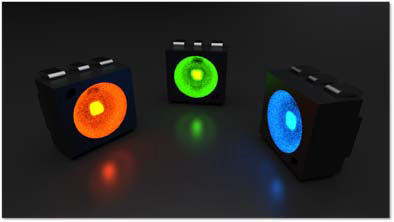
Render cluster support enables creation of such images quickly.
Currently, VRED Professional is the only commercially available render solution that can render in this way.
User-specific color spectrum support
In VRED 2015 Professional, it is now possible to define color spectrum on a mathematical basis using FWHM (Full Width Half Maximum). FWHM enables a specialist to set up desired colors more accurately than before.
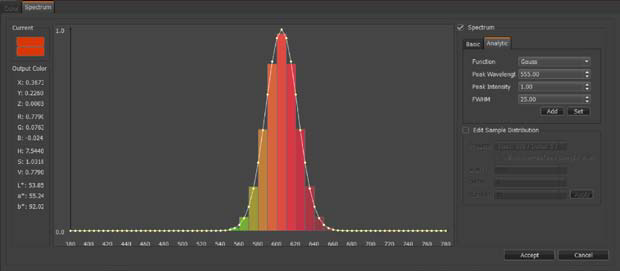
Defined spectrums using FWHM.
Vendor-specific color spectrum support
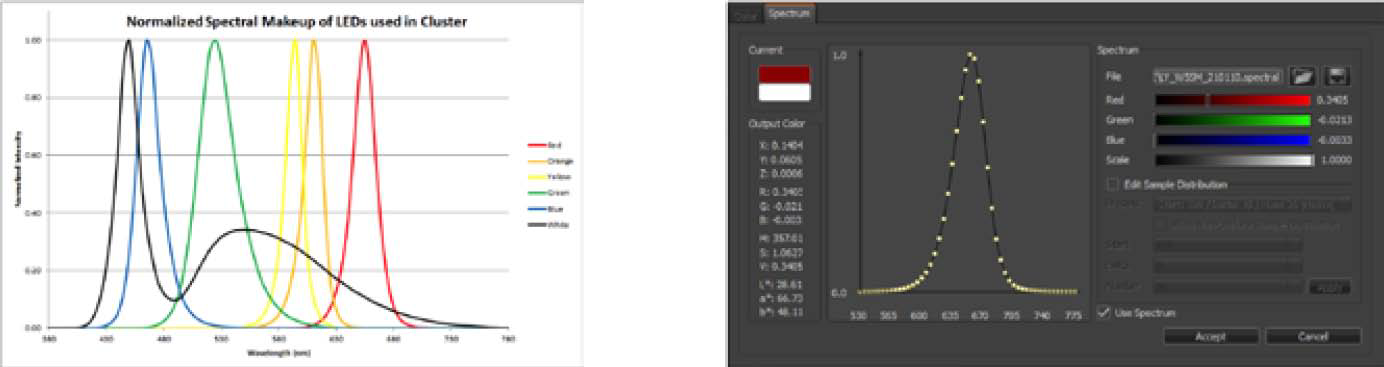
VRED 2015 Professional is now capable of loading Osram and Optis spectrum files. Spectrum files define color on a wavelength basis. This feature is required if visualization projects need vendor-specific attributes like light, color, and material color.
Luminance tone mapper
The Luminance tone mapper in VRED 2015 Professional offers the ability to display a legend, which indicates light distribution inside a scene with false colors.
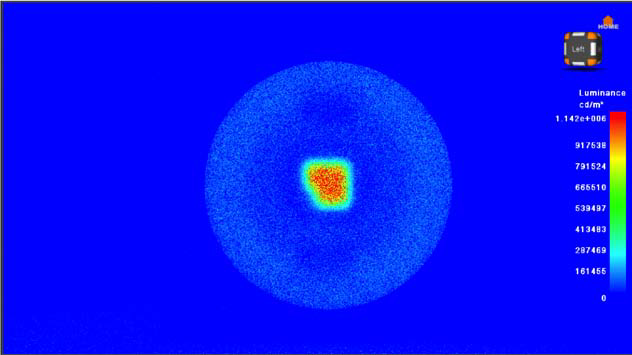
Luminance tone mapper now supports a legend.
Collision detection camera
VRED 2015 Professional added features for VR use cases. Collision detection for Cameras support the definition of colliding objects to avoid flying through during a presentation. This feature keeps the operator from unexpectedly leaving the environment.
Oculus Rift support
Oculus Rift is an immersive, head-mounted display with special distortion lenses. The focal length is more than 100 degrees, which enables a good immersion that is comparable to high-end HMDs.
Currently, Oculus Rift supports orientation tracking. It is still in development. Position tracking will be available in the future.
Wearing the head-mounted glasses enables an immersive evaluation of a product. As an example, a seating buck-use case is used to evaluate cars and cockpits. In combination with raytracing, reflection and refraction behavior can also be evaluated. Tracking system support for ART and Vicon enables virtual walk around.
- Special distortions of rendered images allow enabling of a deep immersion within a scene.
- Supports OpenGL rendering.
- Supports RTRT (Real-Time Ray Tracing Rendering), in combination with RTRT cluster.
Support for Alias Layers / CATIA Layers
Alias wire files are now imported into VRED 2015 Design and Professional with all corresponding layer information. Alias and CATIA Layers are now imported as tags.
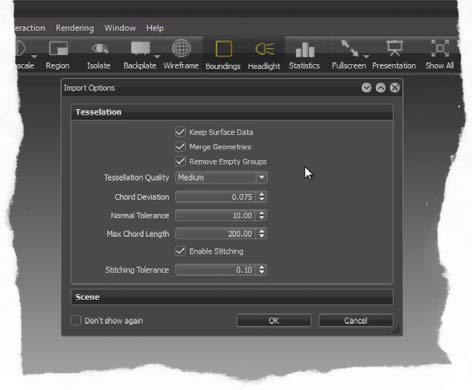
Now you can select objects according to layer information. This feature enables a more fluent workflow between Autodesk Alias® software and VRED. Retaining the Alias layer structure shortens time for data preparation and eases user workflow.
Glass material supports thickness
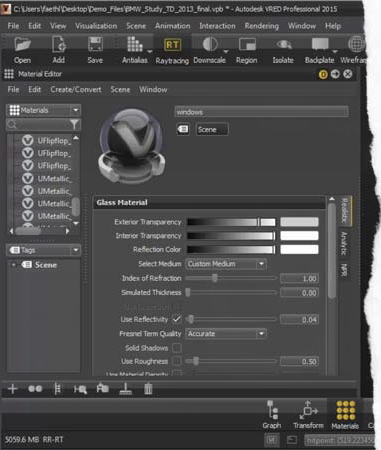
The glass material can simulate thickness for a proper IOR (Index of Refraction). Usually window surfaces are imported as single-side surfaces. With that option enabled, VRED simulates a solid geometry to render appropriate IOR. This option, when enabled achieves appropriate IOR.
Layered materials
A layered material allows stacking of multiple materials on top of each other. Unlike multipass material, the order of traversal depends on the normal of geometry. This allows you to use the layered material as a two-sided material. It can also be used to visualize multilayered, colored glass. For example, with rear light-cover glass, the outside consists of clear glass and the inside is red glass.
Settings are described in detail here Scene module - Material tab.
Copy Paste material attributes
It is now possible to copy and paste material attributes, like diffuse and specular information of materials. This allows you to adopt settings from other materials quicker.
Settings are described in detail here Scene module - Material tab.
Curvature Shader NURBS (Non-Uniform Rational Basis Spline)
VRED 2015 now offers the same mean Curvature Shader evaluation mode as Autodesk Alias® software.
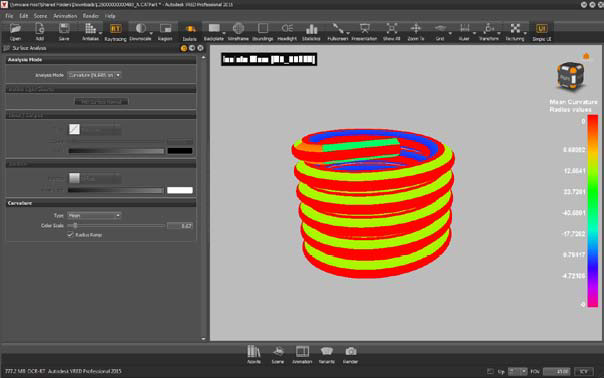
The major difference is that VRED renders the Curvature Shader directly on NURBS surfaces. This feature allows a 100 percent accurate evaluation of surfaces without tessellation artifacts so you can evaluate the degree and tension of NURBS surfaces.
The Curvature Shader currently works only in combination with NURBS data and NURBS raytracing mode.
VRED Application
VRED app is a platform independent Web application for controlling the VRED scene remotely. It allows you to switch variants and viewpoints and helps the operator navigate through the scene and change render modes.
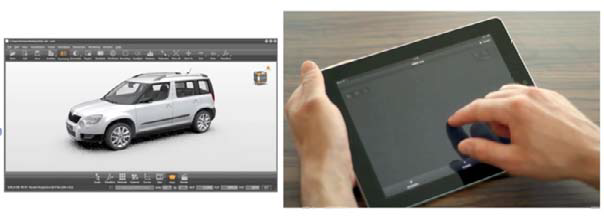
The app runs on any mobile device connected to a network. The VRED app is now enabled within the Professional release.
AxF (appearance exchange format) support from X-rite
AxF is the new appearance format from X-Rite. AxF combines measured BRDF (Bidirectional Reflectance Distribution Function) and BTF (Bidirectional Texture Function) information. One file stores the full appearance of a material like diffuse color, specularity, and bump.
Additionally it is possible to load X-rite information into a texture slot of the phong, plastic, or triplanar material. This function lets materials retrieve individual color components.