After selecting Colors and formats from the left panel of the Table printout manager dialog, the right part of the dialog displays as shown.
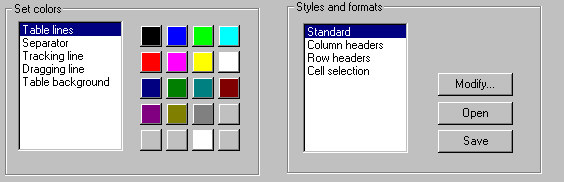
Under Set colors, you can specify a color for various table elements:
- Table lines
- Separators
- Tracking lines
- Dragging lines
- Table background
Under Styles and formats, you can select formats and styles applied for various table elements:
- Table column headers
- Table row headers
- Text in a table.
Click Modify to open a dialog where you can modify font, font color, borders, and alignment for the selected table element.