After selecting Page setup from the left panel of the Table printout manager dialog, the right part of the dialog displays as shown.
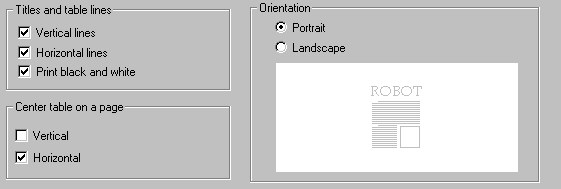
Specify the manner of table presentation:
- Under Titles and table lines
- If you clear Vertical lines, the table displays without vertical lines.
- If you clear Horizontal lines, the table displays without horizontal lines.
- If you clear Print black and white, the table is printed using the defined colors.
- Under Center table on a page, specify whether the table should be centered horizontally, vertically, or both.
- Under Orientation, define paper orientation as either Portrait (the longer side of a paper sheet is vertical) or Landscape (the longer side of a paper sheet is horizontal).