After selecting Distances from the left panel of the Table printout manager dialog, the right part of the dialog displays as shown.
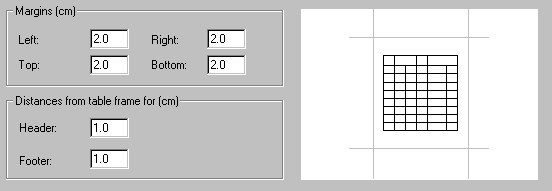
You can specify page margins: left, right, top, and bottom. Also, you can define distances between the table frame and the header or the footer.
A size of the header and footer is calculated automatically in the software; the parameters mentioned depend on the size of a font used, size of a drawing with the company logo, and the number of lines required in a header or footer.