-
Output
tab,
Document Manager
panel: click
 .
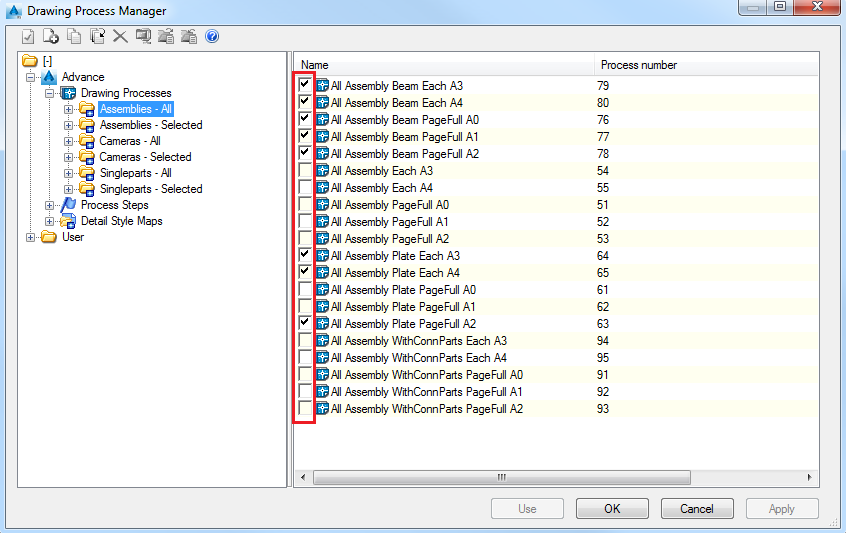
. - In the Drawing Process Manager window select the category from which to add a drawing process.
- From the right side of the window enable the check box in front of the drawing processes you want to display in the Drawing Processes palette .
- Click OK.
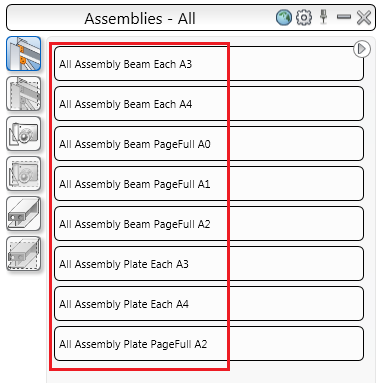
- Open the Drawing Processes palette to see the result.