A list of point selection rules is available. The rules are also displayed on the tree panel.
The toolbar contains all the necessary management functions:
| Button | Function |

|
Create a new point selection rule |

|
Add an existing point selection rule |

|
Delete the selected point selection rule |

|
Move the selected rule up the list |

|
Move the selected rule down the list |
Create a new point selection rule
A new rule is created by copying a point selection rule from the list.
- Select a rule to use as a template for the new point selection rule.
- Click Create .
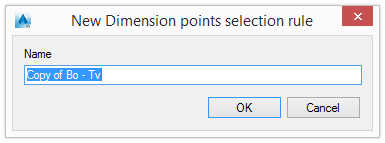
- Enter the name for the new rule.
A new row appears in the table with the new point selection rule.
Changes can be made directly to the list. Only previously defined rules can be selected. Double-click an item in the list or select a rule in the tree panel for detailed configuration. For more information, refer to the Modify the point selection rule section.
Add an existing selection rule
- Click Add .
In the Dimension points selection dialog, the point selection rules are grouped by model objects.
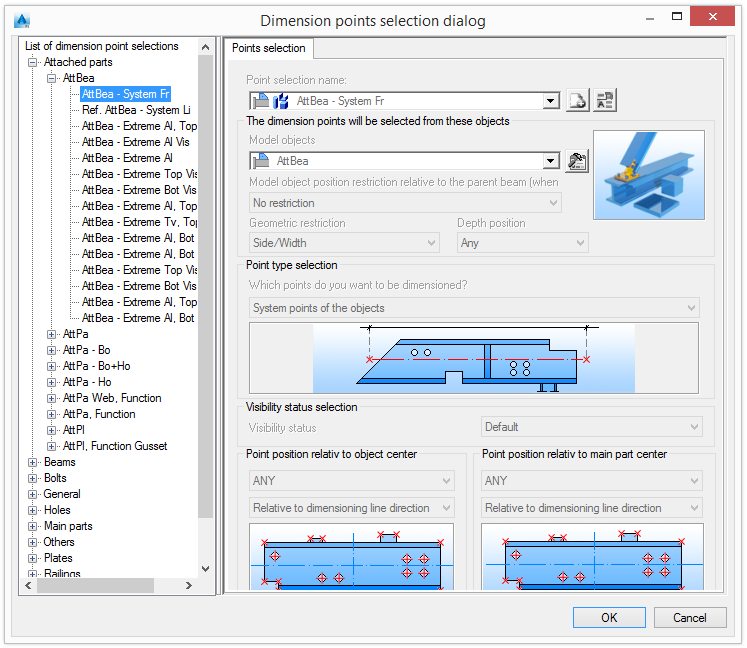
- Select a point selection rule from the tree panel and click OK.
A new row appears in the table with the new point selection rule.
Delete a point selection rule
- Select a rule to delete.
- Click Delete .
Change the order of the list
The order of the Selection of the dimension points is modified using the two arrow buttons, and .