Display Checked Out Elements
Users can only display their checked out elements, so that only part of the model is displayed. This helps to avoid adding elements to the wrong areas of the model and improves the display.
To display only the elements that have been checked out by a certain user:
-
In the Extended Modeling tab > Multi User panel, click
 (Turn off other objects) to turn off the other objects. Press <Enter>.
Only the checked out items are displayed.
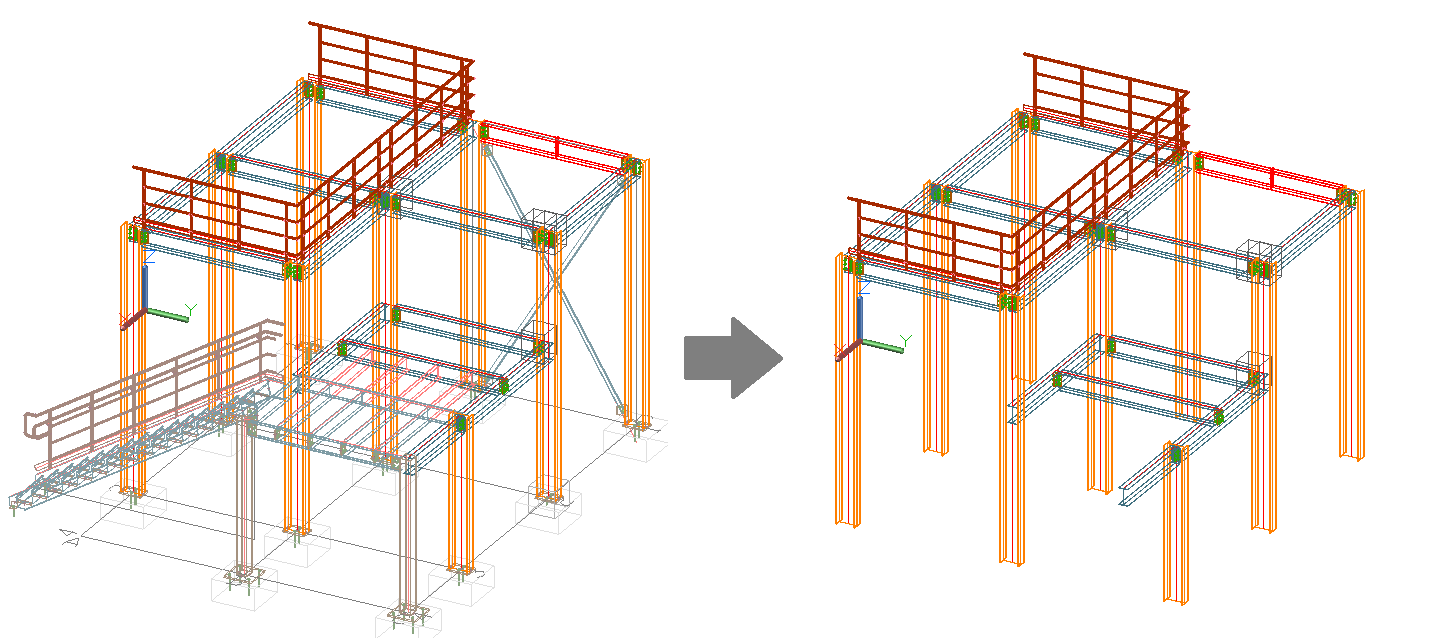
- To display all of the elements of the model again, in the
Extended Modeling tab >
Multi User panel, click
 (Turn on all objects).
Administrator Tools: Mark and / or Cancel Checked Out Elements
The Master model must be closed. Working directly in the Master model is not recommended.
-
Some checking tools enable you to see which user has checked out a part of the structure to work on it. Elements that have been checked out by a selected user are highlighted.
The designer of the MasterDatabase can also check which parts of the model are checked out and by whom, by clicking
 (Mark checked out objects) in the
Extended Modeling tab >
Multi User panel.
(Mark checked out objects) in the
Extended Modeling tab >
Multi User panel.
- The owner of the Master model can suspend access to the master model for any user at any time, by clicking
 (Cancel check out) in the
Extended Modeling tab > Multi User panel.
Note: The selected users can no longer check in the modifications made to their local copies.
(Cancel check out) in the
Extended Modeling tab > Multi User panel.
Note: The selected users can no longer check in the modifications made to their local copies.
Administrator Tools: Security Warnings
To avoid having multiple users work on the same element, warning messages display if a user wants to access an object that has already been completely checked out by another user.
Additionally, if any actions are started on the Master model (e.g., numbering, workshop, or general arrangement drawing creation), a warning message prompts the user in the case that some of the elements are still checked out.