Details and Detail Views
A drawing may consist of several created details, which are individual Advance objects with their own properties.
An Advance detail is a drawing created from the Advance model. For example:
- View of the complete model
- Single parte drawing with several views
- Main part drawing with several views / cuts
The views and cuts in an Advance detail are called detail views. They represent a model part with the following settings:
- Scale
- Coordinate system
- Presentation type of model objects
- Labels of model objects
- Dimensions
Drawing Styles
Advance offers a variety of drawing styles for the creation of general arrangement drawings, sections and shop drawings in various layouts.
Drawing styles automatically create drawings with a layout modified exactly to the user's requirements. Drawing styles are used similarly to AutoCAD's dimension styles, line styles etc.
The styles contain various settings (displayed parts, view, dimension, labeling, representation, etc.) in database tables (libraries). Styles are available in the Drawing Styles Manager  > Output tab > Document Manager panel.
The preferred selection of the existing drawing styles are displayed in the Drawing Style Palette.
The rules included in a drawing style can be modified. You can also define drawing styles.
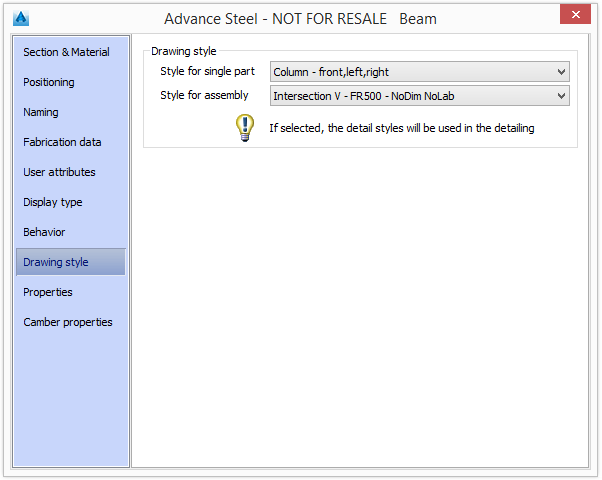
A drawing style for a model or selected objects can be assigned during drawing creations. You can assign it to an object when it is created or later via the Drawing Style tab in the Properties dialog. The drawing style distinguishes between single parts and assemblies and it is used for drawing creation.
Drawing Style Manager
The styles used in drawing creation can be customized to conform to your requirements and company standards using the Drawing Style Manager. The geometry presentation, type and content as well as the dimension can be modified.
A drawing style has a large number of properties to accommodate the numerous requirements in steel detailing. The Drawing Style Manager logically groups the properties in sub-styles and gives them a name. The group of properties (sub-style) can be reused for multiple details.
The behavior of several drawing styles can be changed with a single sub-style modification. For example, the label content for slotted holes in the top view can be modified without changing all drawing styles.
The drawing style structure is hierarchical: each detail contains one or several views and each view has its own properties (direction, clipping, etc.), objects, dimensions and labels. This hierarchy is also reflected in the user interface. The interface clearly shows that modifying a sub-style modifies all drawing styles that use that sub-style.
Access the Drawing Style Manager
- Command line: _AstM5DetailStylesManagerNew
- Output tab > Document Manager panel > (Drawing Style Manager)