What are Cloud Credits?
Cloud credits are the unit of measurement required to perform certain tasks, such as creating a rendering or running a simulation in a cloud environment using Autodesk cloud services. In InfraWorks 360, cloud credits are commonly used for usage-based cloud services such as optimization, analysis, simulation, and model creation services. To see the general FAQ on cloud credits, go to http://www.autodesk.com/cloud-credit-faq.
Which InfraWorks 360 cloud services require cloud credits?
- Watershed Analysis
- Profile Optimization
- Traffic Simulation
How can I buy cloud credits?
Cloud credits can only be purchased by contract administrators or software coordinators for Subscription customers. Subscription users of InfraWorks 360 receive a gift of 100 cloud credits per license for every year of Subscription (InfraWorks 360 LT is excluded). Subscription users can purchase additional cloud credits from the Autodesk Store, Autodesk resellers, and Autodesk direct sales.
How can I tell how many cloud credits I have?
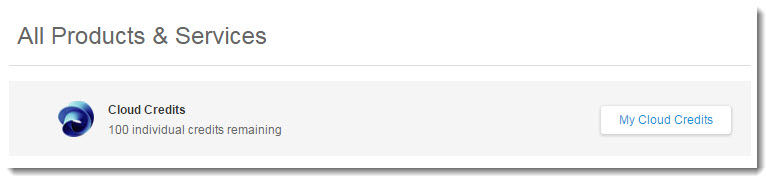
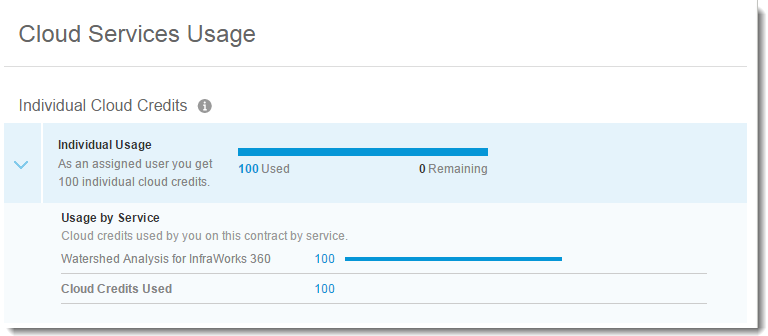
What should I do if I do not have enough cloud credits to perform an analysis?
Go to your Autodesk Account or contact your contract manager. See also: "How can I buy cloud credits?"
If my analysis fails or is canceled, can I get a refund?
If the system recognizes that the analysis has failed or was canceled, the system will automatically refund the cloud credits to the contract that they were consumed against.
What is Autodesk Subscription?
Autodesk Subscription is a maintenance and support program that provides exclusive advantages and delivers the lowest total cost of ownership for your software. Key benefits include immediate access to upgrades, product enhancements, web services, previous version rights, flexible licensing plans and online customer support.
How do I know if my office is an Autodesk Subscription customer?
Your Subscription can be verified within your Autodesk Account. After signing in, click Enable Your Subscription Benefits to verify your Subscription and enable your account with the Autodesk® InfraWorks® 360 cloud services you're eligible for.
I'm an Autodesk Subscription customer. What do I need to do to keep using InfraWorks 360 cloud services?
Nothing. When you log in, you should see a dialog with your Subscriptions cloud allocation amount. Whenever you perform an analysis the appropriate amount of cloud credits is deducted and the allocation amount is updated.