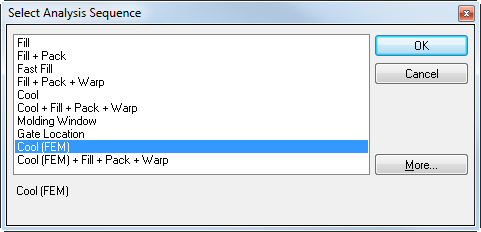
In this task, you use the set the analysis sequence to Cool(FEM). This sequence must be sent so the mold can be created.
-
Click
 ().
(). -
Click Cool(FEM).
Note: If you do not see an analysis sequence, click More to see all that are available for the molding process. -
Click OK.