The Examine tool is used to determine the exact value of a result at a specific location on the model. The Lock All Views tool is used when comparing multiple studies, to lock all views so that however you manipulate the model in one study the change is replicated in the models for all the other studies you are viewing. You can now combine the Examine tool with the Lock All Views tool to see the value of a result at the same specific location on the models.
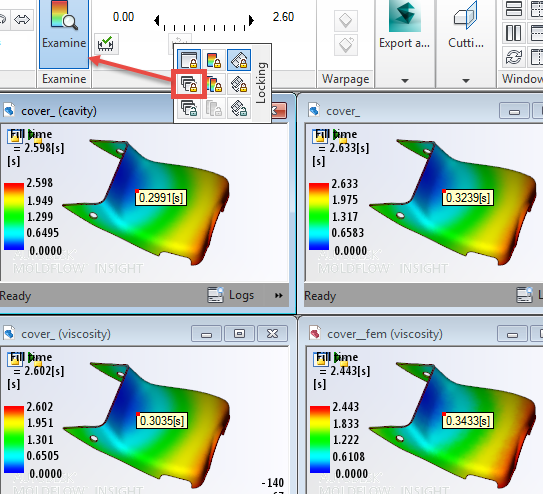
To view the result at a specific location on all models:
- Click
 () to show all the open studies at the same time.
 - Click
 () to lock all the views.
 - Click
 (), then click on the model in one of the studies and the result will appear in all the studies.
Warp results
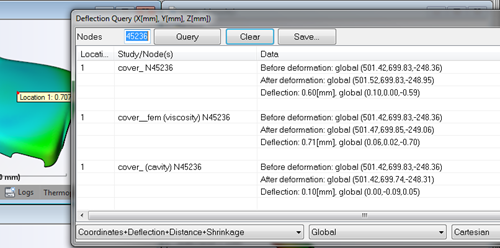
The Examine lock feature is extended to warp results and the Deflection query dialog has been enhanced to make reading the results easier. The location, study name and node are all identified, as well as the expected data.