Revamped Hypershade to optimize look development workflows
Click
 on the status line to open the
Hypershade.
on the status line to open the
Hypershade.
In Maya 2016, building and editing materials in the Hypershade is now more artist friendly and intuitive, with a revamped user interface that optimizes your look development workflow by providing the following features:
- A new node editing interface is available in the work area, allowing for a simplified workflow when creating shader graphs.
- Nodes are created in a streamlined, custom view where only the commonly used attributes are displayed.
-
Soloing is supported, allowing you to isolate the output of any shading node to see its contribution without having to modify your shading graph.
This functionality helps you to easily identify problems while working through a complex shading network.
- You can dock, undock and rearrange panels in the Hypershade and create a layout that best suits your workflow.
- You can open any of these panels (Viewport, Render View, Outliner, UV Editor, Graph Editor, and Attribute Spread Sheet) and dock that panel to the Hypershade.
- You can render shaders, bump maps, or 2d textures in real-time in the new Material Viewer.
- Preview your material results in a set of built-in HDR environments and with different sample geometries.
- You can create multiple tabs in the work area, each with its own set of nodes displayed. This way, you can work with multiple shader graphs and edit them simultaneously without the need to regraph.
- Material editing is simplified in a Property Editor that displays shading node attributes in two ways: the classic Attribute Editor layout; or, the Lookdev template view with a simpler layout optimized for look development workflows.
- Swatch generation for materials and textures can be paused in order to avoid waiting for swatches to render.
- Look development using the Hypershade
- Build and create materials using the Hypershade
- Customize your layout in the Hypershade
- Render your shading network in real-time in the Material Viewer
- Add image based lighting with a preset or custom environment in the Material Viewer
- Create and connect nodes in the Hypershade
- About soloing
- Solo a node in the Hypershade
- View your attributes in the Hypershade Property Editor
- Create a lookdev view template for your custom node
- Pause material and texture swatch generation
-
 Create a shader network in the Hypershade video tutorial
Support for GLSL shaders
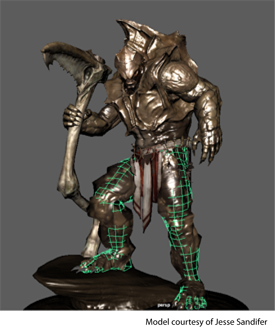
You can load and visualize custom GLSL (OpenGL Shading Language) shaders that support lighting, shadows, and tessellation in the new glslShader plug-in when running Maya in OpenGL Core Profile mode. This plug-in allows you to obtain the same visual fidelity as you can in DirectX11 mode.
In addition, ShaderFX now supports tessellation, displacement and geometry shaders in core profile mode.
To run in core profile mode, select Windows > Settings/Preferences > Preferences to open the Preferences window, and from the Display category, select OpenGL Core Profile as your Rendering engine.
Physically based shader
A physically based, real-time shader is now available in Viewport 2.0 that allows you to preview assets textured for physically based rendering.
Batch rendering with ShaderFX
You can now batch render scenes with ShaderFX shaders using the Maya Hardware 2.0 renderer.