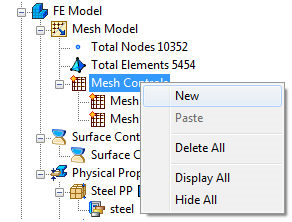
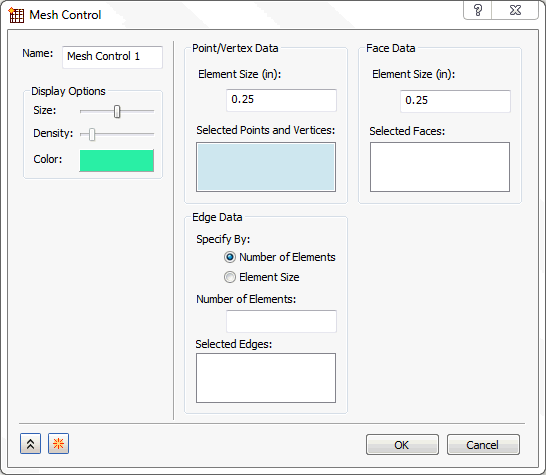
This option allows you to add a local element size to a vertex or vertices on a part under Vertex Data, change the Edge Data or Face Data and adds a tree entity called Mesh Control under Mesh Model.
The following example illustrates the Vertex Data use.
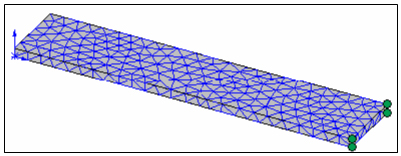
Mesh Model – Update All Meshes (using a default size):
Right-click Mesh Model – Add Mesh Control:
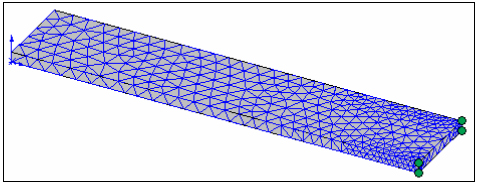
The refined mesh looks as follows:
The other refinement options are found in the Edge Data and Face Data section.
Edge Data:
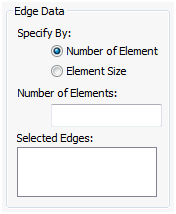
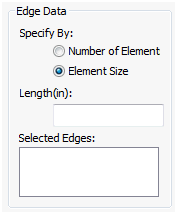
- The main section is Specify By. Here you can choose either Number of Elements or Element Size.
- If you choose Number of Elements, you need to enter the desired Number of Elements along a Selected Edge that you choose. This will evenly divide the specified edge by that number and create that many elements along that edge.
- If you choose Element Size, you need to enter a desired Length for which you want the elements to be spaced by along a Selected Edge that you choose. By choosing this option, the program will automatically create the specified number of elements along the edge you have specified.
Face Data:
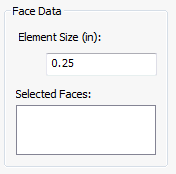
- Element Size: It allows you to enter the element size for the refined mesh on the selected faces.
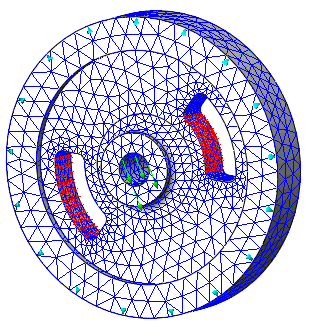
Display Options: Allows you to edit the Display Options of the mesh control.
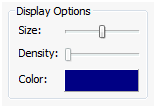
- Size: Change the size of the mesh control.
- Density: Allows you to display a particular level of mesh control.
- Color: Allows you to pick the color of the mesh control.
In the Mesh Control dialog we have a New  button which accepts the current mesh control and creates new mesh control.
Created mesh controls will add to the Mesh Model tree with a single node as Mesh Controls.
Right-click on Mesh Controls opens a menu with other options as shown in the following image: