The Material Orientation form is shown in the figure below.
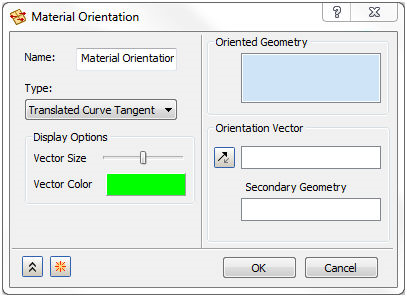
This option allows you to specify a material orientation on faces with shell elements.
There are eight options to specify material orientation on a surface. Click on the Type pull-down menu to select from the following methods:
- Vector Projection
- Curve Tangent
- Rotated Curve Tangent
- Translated Curve Tangent
- Surface U Direction
- Surface V Direction
- Surface -U Direction
- Surface -V Direction
Autodesk Nastran In-CAD allows you to select the surfaces with a shell mesh in the Oriented Geometry section.
Display Options will allow you to change the size and color of the material orientation vector.
The following pages describe the different orientation definition techniques in the Type pull-down menu in further detail.
 In composite analysis, a zero angle ply means that it is aligned in the direction of the material orientation.