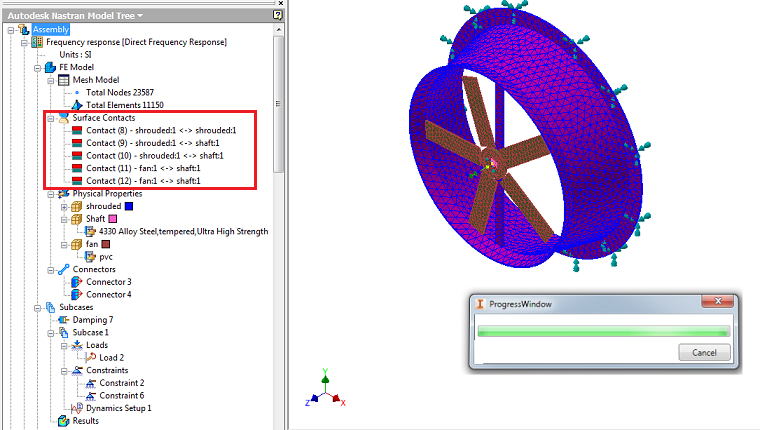
This option allows you to define Automatic Surface Contact Generation (ASCG).
When selecting the Auto option on the Surface Contact form, the following sections are available:
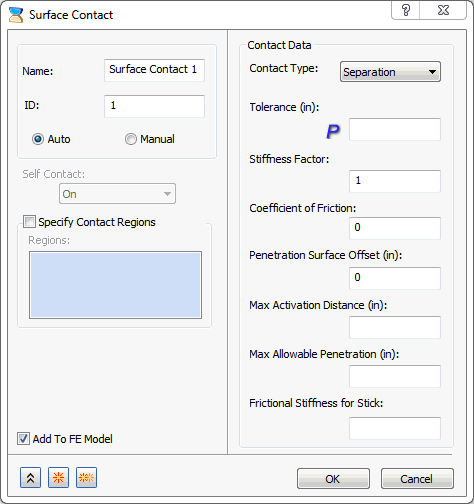
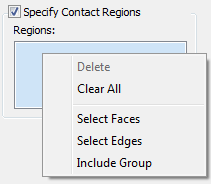
- Specify Contact Regions: It allows you to define multiple auto contacts. The body or group of elements selection is need to be selected in order to define surface contacts i.e. Master and Slave entity in order to develop contact elements. The multiple face selection is also supported. The flip buttons are provided in order to easily shift the faces from Slave to Master and vice versa.
- This field allows you to select the bodies to allow to generate contact elements when they are in contact.
- It allows you to include a group, which consists of group of elements allowing to generate contact elements when they are in contact.
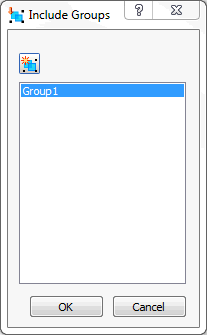
- New Group
 : Allows you to create a group of elements within the Include Groups.
- New Group
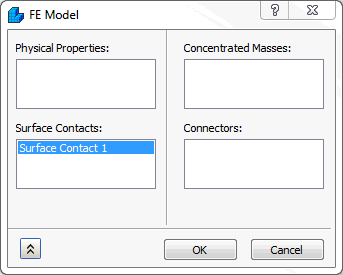
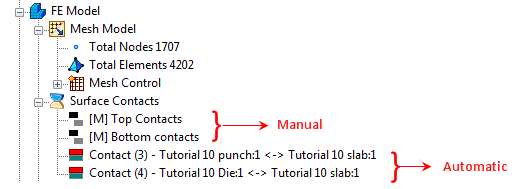
- Add To FE Model: Surface contacts generated this way can be applied to an analysis by clicking the Add to FE Model checkbox. This can also be done by dragging them onto FE Model, or by right-clicking FE Model, selecting Edit, and then picking the surface contact from the list under the Surface Contacts section.
-
Contact Data:
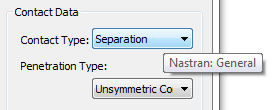
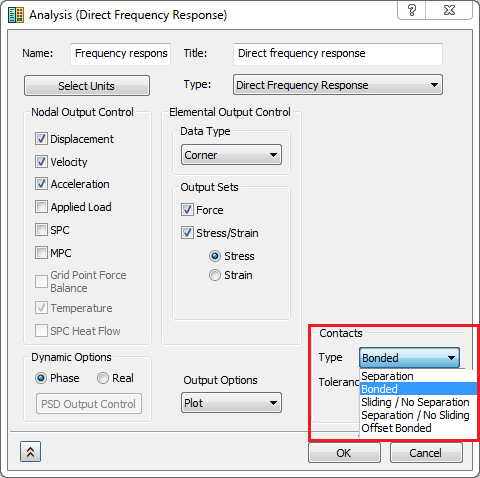
- Contact Type: In this section, different types of contact can be generated. Note that the Contact Type terminology now matches Inventor Stress Simulation terminology. Moreover, when you hover over the Contact Type drop-down menu, tool tips are available to show the Nastran terminology, as you can see in the image below:
-
Separation (Nastran: General)
- This type of contact is a true surface to surface contact. Both sliding and opening are allowed.
- The example in the figure below shows 3 blocks, the bottom block is pushed up and free surface contact is used between the touching surfaces.

-
Bonded (Nastran: Welded)
- This type of contact is used to bond the touching surfaces together. It moves together with loading.
- The advantage with this type of contact is that the mesh does not have to be the same.
- It can be useful in cases where touching surfaces on different parts have dissimilar meshes and do not undergo relative displacement. In other words the surfaces are treated to be bonded together.
- The welded contact response between the beams is shown in the figure below. It moves together as shown in the picture.

-
Sliding / No Separation (Nastran: Slide)
- With this type of contact the element will act similar to a welded contact element in tension and compression, but will slide in-plane.
- Slide contact can be used in linear and nonlinear solutions.

-
Separation / No Sliding (Nastran: Rough)
- With this type of contact the element will act similar to a general contact element in tension and compression, but will not permit sliding in-plane.
- If the analysis types are not nonlinear, the contact type will default to welded.

-
Offset Bonded (Nastran: Offset Weld)
- The offset weld setting is intended for welded connections with significant separation between contact surfaces.
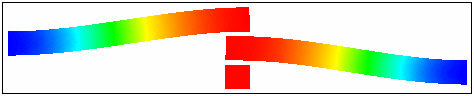
- The offset weld setting is intended for welded connections with significant separation between contact surfaces.
-
Separation (Nastran: General)
- Tolerance: It is a parameter
 which specifies the contact tolerance used in Automated Surface Contact Generation (ASCG). The value set defines the maximum normal activation distance. A recommended value is a distance approximately 10% larger than the largest gap you want to be recognized as contact. The default AUTO setting is based on the model reference dimension multiplied by 1.0E-04. Note that specified values are actual distances and are not normalized. For some models (i.e., very large, very small, or with large gaps) the default CONTACTTOL value may not be well suited, therefore it is recommended the analyst to define.
 - Stiffness Factor: This value controls the stiffness scaling of the contact. The stiffness is automatically determined based on the adjacent stiffness.
- The higher this value, the stiffer the contact and the less the penetration, but too high a value may cause convergence issues and chatter.
- Sometimes setting this to a lower value may help convergence, but usually the default (1.0) works well for Autodesk Nastran analysis.
- Coefficient of Friction: Specify a coefficient of static friction.
- Penetration Surface Offset: Specify a penetration surface offset. This defines a numerical offset value for instances such as plate to plate or solid to plate contact.
- Max Activation Distance: This is a tolerance value that specifies the distance that contact elements should be activated. This helps limit the number of contact elements and therefore decreases solution time prevents unnecessary, and possibly conflicting, contact elements. When the box is checked and no value is specified, the default solver distance will be used. This is a large distance based upon the model size. When a value is input, the solver will use that value. When the box is unchecked the auto function will be used. Using the auto setting, the solver determines the activation distance. This is different from when the box is left blank and the default solver value is used.
- Max Allowable Penetration: This is used in the adjustment of penalty values normal to the contact plane. A positive value activates the penalty value adjustment.
- Frictional Stiffness for Stick: Specify a frictional stiffness for stick. The value of frictional stiffness should be chosen carefully. A method of choosing a value is to divide the expected frictional strength (MU * expected normal force) by reasonable value of the relative displacement before slip occurs. A large stiffness value may cause poor convergence, while too small a value may result in reduced accuracy. An alternative method is to specify the value of relative displacement using SMAX.
- Contact Type: In this section, different types of contact can be generated. Note that the Contact Type terminology now matches Inventor Stress Simulation terminology. Moreover, when you hover over the Contact Type drop-down menu, tool tips are available to show the Nastran terminology, as you can see in the image below:
 To automatically generate contacts, click on the Automatic button on the ribbon bar under the Contacts panel. This command detects the contacts based on CAD geometry and the contact tolerance specified in the Analysis dialog. Note that this feature is not available in Autodesk Nastran In-CAD for SolidWorks; it is only available in Autodesk Nastran In-CAD for Inventor.
Once detected and imported, the In-CAD browser will show the names of the parts that are in contact.