In an assembly analysis, surface contacts have to be generated to perform a nonlinear contact analysis.
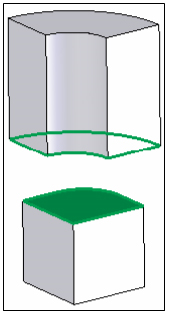
Click on the Automatic or Manual button under the Contacts panel on the ribbon, or right-click on Surface Contacts at the top of the Model tree and select New to open the window below.

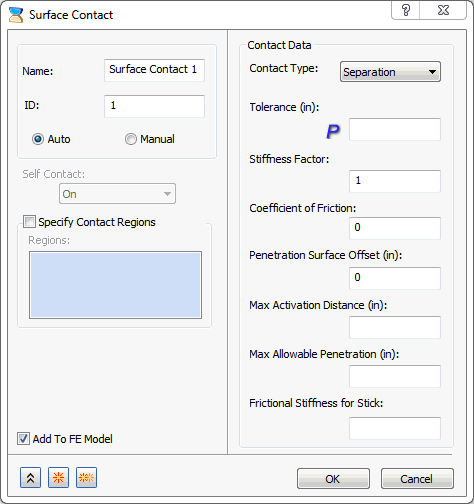
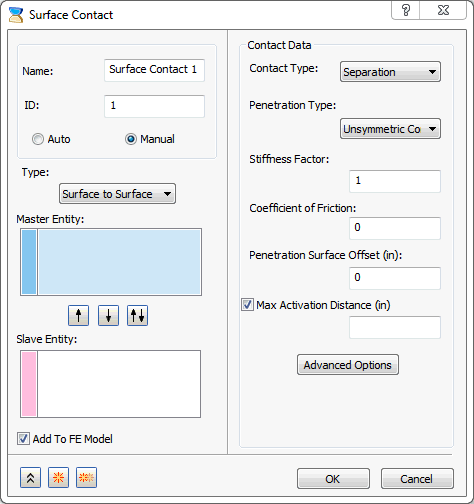
The form has the following main sections:
- Name: Enter a name for the surface contact, for example, Top Contact Pair.
- ID: The ID is automatically updated as the contact pairs are created.
- There are two types of surface contacts that can be created:
- Auto
- Manual
The other sections in this form vary sightly depending on the type of contact selected, auto or manual. Click on the links at the bottom of the page to see more info on the other sections available in this form.
Surface contacts can be dragged and dropped from the Model tree onto the FE Model.
Once Surface Contacts is added to the FE Model it creates a single node with all the surface contacts. This will allow you to create new surface contacts without going to Model tree. Surface contacts can also be selected from here to be included in the analysis model.
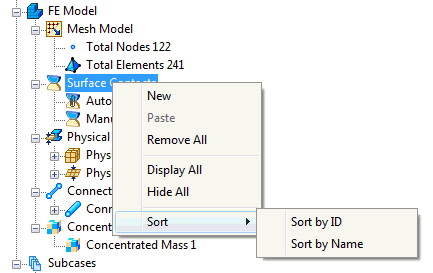
If you right-click on Surface Contacts in the FE Model tree section, the following options are available:
- New
- Paste
- Remove All
- Display All
- Hide All
- Sort:
- Sort by ID
- Sort by Name