This is a sub-level of Mesh Model in the tree, and will only appear when there is an actual mesh with total nodes and elements.
When you right-click on Total Nodes, the following options are available:
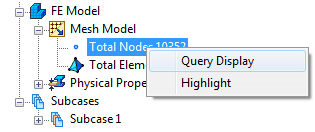
- Query Display: When this option is toggled on, it allows for real-time interrogation of nodes in the model. Query Display for nodes can also be accessed using the Query Display tool bar.
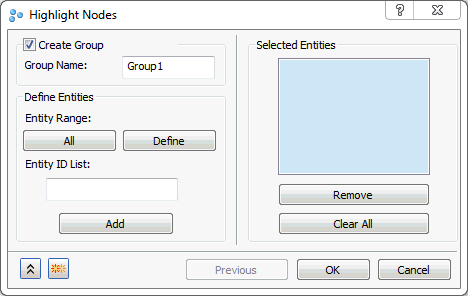
- Highlight: The highlight option allows a set of nodes to highlight on the model in order to identify a node’s location and/or properties. To access this command, right-click on Total Nodes in the Mesh Model tree. Type in the Node IDs in the Entity List and click on the Add button to put them in the Selected Entities box as shown in the figure below. Highlight Nodes command can also be accessed using the Highlight tool bar. Selected Entities can be included in the Group by clicking the Create Group checkbox.