Click on the Update All Meshes icon under the Mesh panel on the ribbon or right-click on Mesh Model and select Update All Meshes.

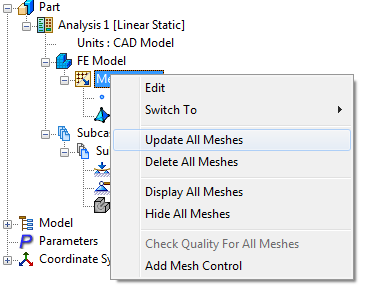
Whenever a change is made to any feature in the model, the mesh must be updated.
In an assembly this option will create an automatic mesh on all the parts of the assembly using the default mesh sizes.
By selecting it later on in the modeling process, this will ensure that all meshes are updated after any model changes.
For shell elements it performs a continuous meshing once Mesher Setting is defined in default settings.
This option also gives an indication to the progress of the meshing operation.