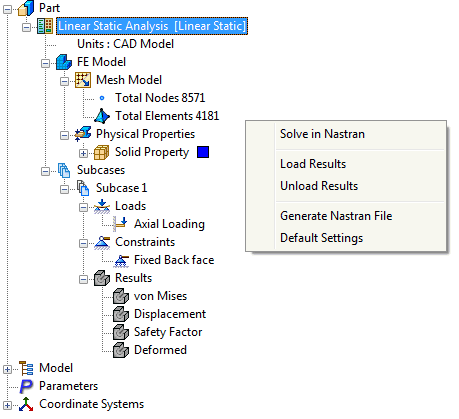
Click on the Run button under the Solve panel on the ribbon or right-click on Analysis at the top of the tree and select Solve in Nastran to solve the model using the Autodesk Nastran Solver.

The progress of the analysis can be seen in the Autodesk Nastran status window that is brought up automatically on a separate tab.
 You can also perform this command by right-clicking an empty space of the Autodesk Nastran Model tree and then selecting Solve in Nastran.