This option generates the Nastran deck for the Nastran File tab allowing you to make advanced changes to the Nastran Bulk Data file.
Changes made in the Nastran file that pertain to features available in the graphical user interface (GUI) will be reflected.
You can jump from portions of the Bulk Data file to the section where the item was created.
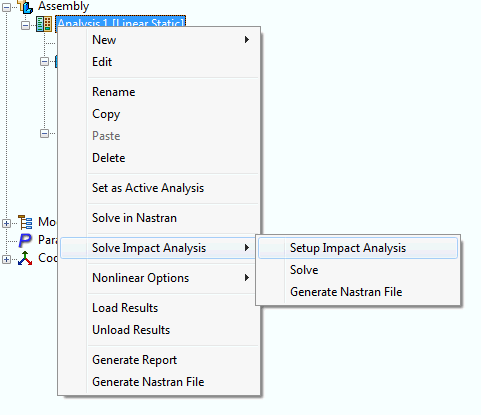
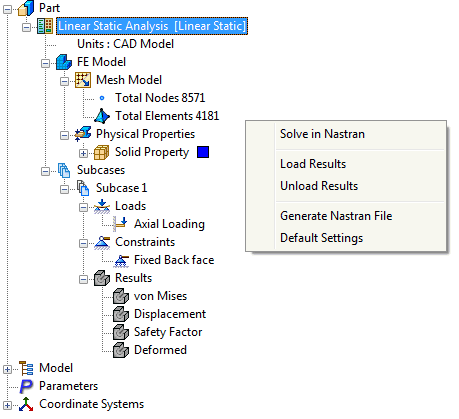
The Nastran file can also be generated by right-clicking an empty space of the Model tree.
The following Tool Bar is available for editing generated Nastran files.

 Run Nastran File: Sends the current Nastran Bulk Data file to the Autodesk Nastran solver.
  Save Nastran File: Allows the current Bulk Data file to be saved as another name.
  Insert New Card: Generates a new Bulk Data entry.
  Update Nastran File: Refreshes the Bulk Data file when changes do not immediately appear or Bulk Data page is empty.
  Show/Hide Wide Field Markers: Hides or displays field markers for the Bulk Data file. It has 3 settings:
 - Off
- Narrow (every 8 characters)
- Wide (every 16 characters)
 Expand/Collapse All: Allows the expansion and collapse of all Bulk Data entries.
  Add Bookmark: Allows particular places to be bookmarked within the Bulk Data file.
 Clear Bookmark: Deletes a bookmark created.
  Previous Bookmark: Cycles to the previous bookmark.
  Next Bookmark: Cycles to the next bookmark.
  Find: Find text within a Bulk Data file.
  Show Line Numbers: Hides or displays Bulk Data file line numbers.