Modifies an existing report template.
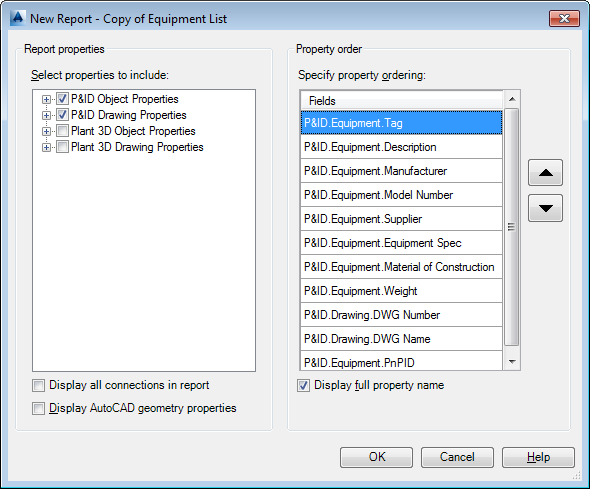
Report Properties
Defines the properties for a report.
- Select Properties To Include
-
Displays a list of properties in the existing template. Select the properties you want to retain for the modified template.
- Display All Connections In Report
-
When this checkbox is selected, multiple valve tags (one for each connected line number) are displayed. By default the box is clear.
- Display AutoCAD Geometry Properties
-
Displays or hides AutoCAD geometry properties.
Property Order
Defines the properties order for a report.
- Specify Property Ordering
-
Displays a list of properties for the properties selected in the left pane. You can use the Up or Down arrows to order the properties.
- Display Full Property Name
-
Displays or hides the full property name.