Set interpolation values for each set of Spline nodes you linked in the Distort schematic.
The interpolation value determines the percentage that the feature defined in the Front1 source spline mixes with the feature defined in the Front2 source spline.
To set the interpolation value between linked splines:
- Select the Front1 (Input1) or Front2 (Input2) source Spline node of a linked pair in the Distort schematic.
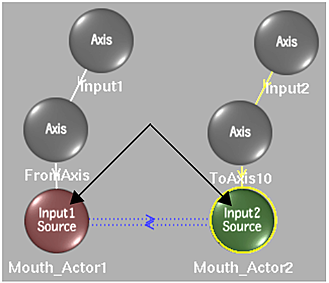
The current interpolation value for the linked splines appears in the Interpolation field.
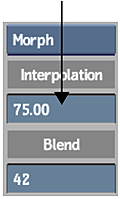
- Set the value for the interpolation. A value of 0 results in the Front1 feature remaining in its original form, while a value of 100 results in the Front1 feature distorting into the shape defined by the Front2 spline.