To use the first two workflows, you must have a enterprise industry model line feature with two or more vertices.
Sample Split workflow:
- In Infrastructure Application Extension, in the Construction toolbar click
 Split.
 - In the map, select the feature to split.
- Select or digitize the splitting point. Note:
There are two separate line features after the calculation. Each new feature inherits the attribute data of the old deleted feature.
Sample Add Vertex workflow:
- In Infrastructure Application Extension, in the Construction toolbar click
 Add vertex.
 - In the map, select the feature.
- Select or digitize the point to insert.
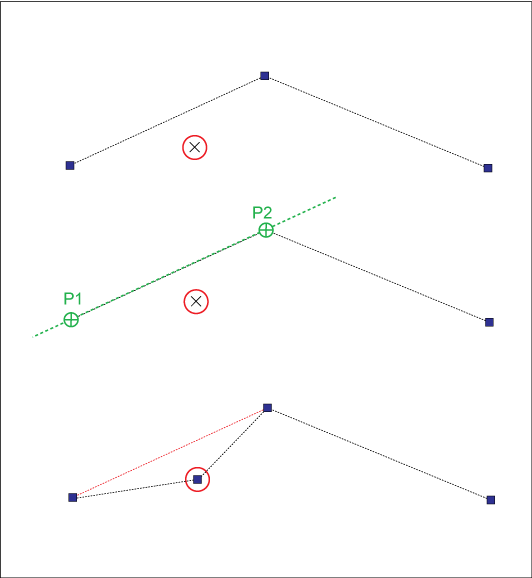
Line processing example: Add vertex inserts a new vertex. The lines move to the point.
To use this workflow, you must have a enterprise industry model line feature with three or more vertices.
Sample Remove Vertex workflow:
- In Infrastructure Application Extension, in the Construction toolbar click
 Remove Vertex.
 - In the map, select the feature.
- Select the point to remove.
You do not need to snap the point; you can click in the neighborhood of the vertex.