When creating support structures, it’s of course important to find out which areas need to be supported. First, all critical areas of the part are marked red and yellow. These colored areas will be filled with support. The red region indicates the main area which needs support. The yellow region indicates the border-area, which can be supported and will be used for building clusters. The red line marks the cluster, which will be support in the end.
The supported area can be affected by the values Critical angle, Noncritical angle, and Minimal area. These settings can be found in the tab Analysis.
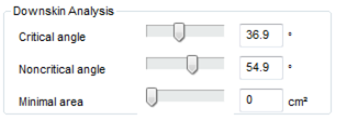
Analyze the downskin.
| Critical angle | The larger the critical angle, the larger the red highlighted area. This must be supported. The angle values depend mostly on your machine and material. |
| Noncritical angle | The larger the noncritical angle, the lager the yellow highlighted border-area. This area is used for building clusters together with the red area. This avoids having a lot of small supported spots, instead of making one larger supported area. |
| Minimal area | Defines the size an area at least must have in order to be supported. |
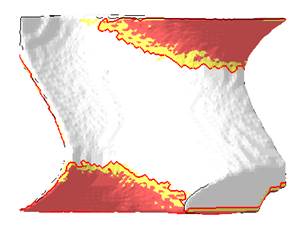
Screenshot of a downskin of an example file. Red areas must be supported, the yellow areas combine them to a cluster.