First of all parts, gives you an overview over all the parts currently in the workspace with size and volume information. Below the part name information you can set your build strategy (e.g. solid part) and you can also turn the option Keep parts on platform on. After this is done the build strategy needs to be chosen. To do so click on the change button next to configuration to open the configuration menu.
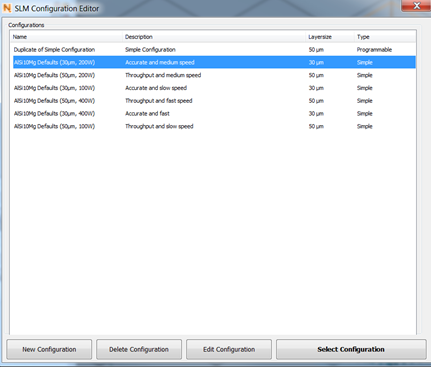
Each available material also has different build strategies to customize accuracy and speed. But you can also edit existing configurations or create new ones.
Here you can either select one of the existing solutions for your material, or create a new one. When you want to edit a configurations, it will be duplicated so you don’t lose the default settings. In the edit tab you can simply change parameters in the list.
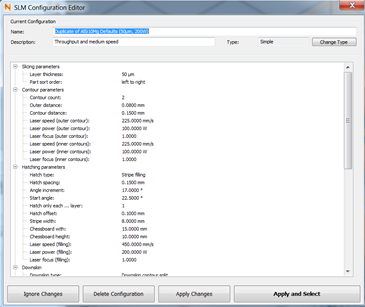
Edit all the parameters in the list, to change your build strategy accordingly.
For advanced users, you can also change the type from simple to programmable. This will change the interaction to direct input in an XML. This gives you more degrees of freedom, but please keep in mind this is intended for advanced users only.
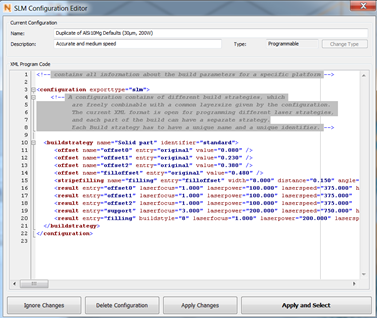
Use the programmable type, to get more options, like offset creation for beam compensation.
Below the configuration you can change the supports structures needed for your parts. You have the option to create supports in the Netfabb support module. Secondly you can remove supports from your selected part and finally it is also possible to import supports as STLs, which have been created previously.