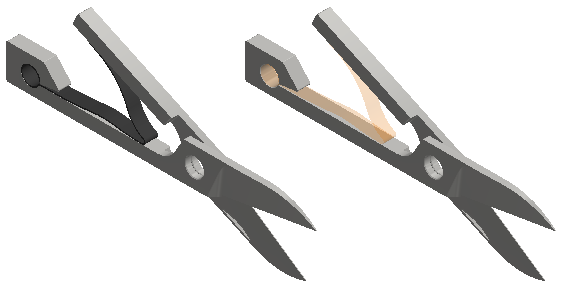
This command is applicable to Autodesk Nastran In-CAD for Inventor only. It is not available within SOLIDWORKS. Use this command to manually select solid bodies that you want to represent using shell element located along the midplane of the body. Shell elements provide more accurate results for thin geometry, especially where flexural loads are encountered. Solid elements do not capture bending effects accurately unless there are four or more layers of elements through the thickness, which is difficult to achieve for thin geometry.
To use the Midsurfaces tool:
- Click
Autodesk Nastran
 Prepare Midsurfaces. The Midsurface dialog appears:
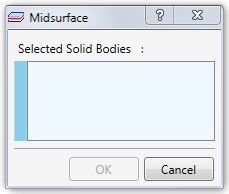
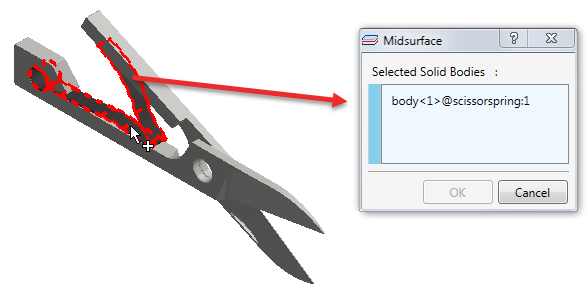
- Click one or more bodies to select them for conversion to midsurfaces. Each one you click is listed in the
Selected Solid Bodies box.
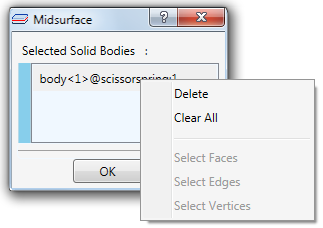
- You can right-click items to
Delete them from the list, preventing their conversion to midsurfaces. Use the
Clear All command to remove all solid bodies from the list. You can also graphically select bodies to convert to midsurfaces, adding them to the list.
- Click
OK to continue or
Cancel to abort the operation. The selected solid bodies are suppressed and replaced by midplane surface representations (midsurfaces). New midsurfaces are listed in the
Idealizations\Shells branch of the model tree.
Another pop-up message may appear indicating that some features have been lost due to geometry modification.
- Click Details to see which features have been lost.
- Click Close to dismiss the message.
The following images compare a CAD model before and after using the Find Thin Bodies command. The solid spring on the left is replaced by the midsurface spring on the right: