A Pipe is a 1D element with six degrees of freedom per node with the option of internal pressure. It has the options to use Property Input, Cross Section, or Structural Member under Input Type. See the Line Element Properties page for more information on the Input Types and associated settings.
- When the
Property Input option is selected, the following form comes up:
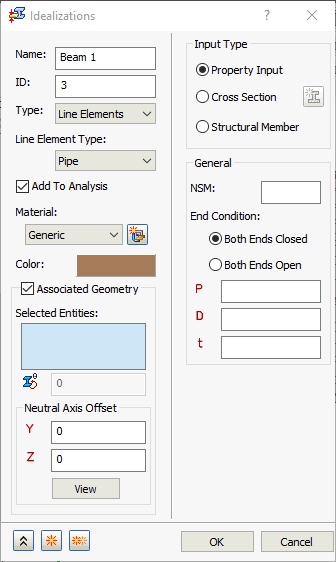
- NSM: Defines non-structural mass for this element type.
- End Condition: Tells the solver the condition at the ends of the pipe that the line element represents:
- Both Ends Closed: The pipe is closed/capped at both ends when this option is selected.
- Both Ends Open: The pipe is open at both ends when this option is selected.
- P: Defines the internal pressure acting against the inside of the pipe.
- D: Defines the diameter of the pipe.
- t: Defines the thickness of the pipe.
- When the
Cross Section Input Type is selected, the following form comes up:
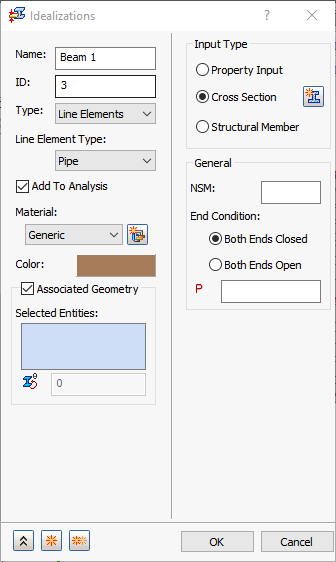
- NSM: Defines non-structural mass for this element type.
- End Condition: Tells the solver the condition at the ends of the pipe that the line element represents:
- Both Ends Closed: The pipe is closed/capped at both ends when this option is selected.
- Both Ends Open: The pipe is open at both ends when this option is selected.
- P: Allows you to input an internal pressure acting against the inside of the pipe.