Select the Line Elements option under Type in the Idealizations form.
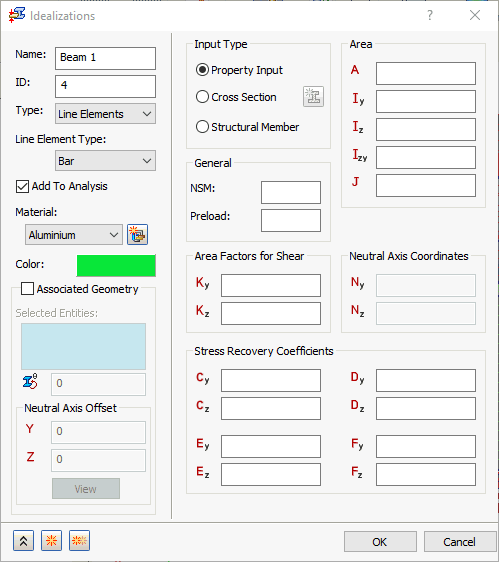
Under Line Element Type you can then select different types of line elements: Bar, Beam and Pipe.
 Follow the links at the bottom of this page to access the Help that is specific to each line element type. Features that are common to two or three of the types are covered on this page. Features that are specific to only one type are covered on the Bar, Beam, or Pipe subtopics.
No matter what line element type is selected, there are three options under the Input Type section: Property Input, Cross Section, and Structural Member.
- Associated Geometry: This option is applicable to two
Input Type options—Property Input and
Cross Section:
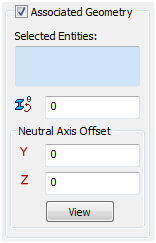 (Property Input)
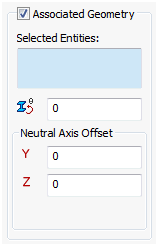 (Cross Section)
For Structural Members, the cross-sectional properties are dictated by the Inventor Frame Generator or SOLIDWORKS Structural Member parameters. Therefore, the Associated Geometry option does not appear for Structural Member line elements.
When the Associated Geometry option is NOT activated, the Idealization is applied to the entire model (all sketch entities). Activate this option to define unique Idealization properties for individual sketch entities within the part or assembly. The items are listed in the Selected Entities box.
- Selected Entities: This displays the sketch curves to be associated with the property input.
-
Rotation Angle (deg)
 : This allows the section to be rotated so that proper orientation of the section is obtained.
- Neutral Axis Offset:
- Y (in): This allows the section to be offset in the elemental Y direction.
- Z (in): This allows the section to be offset in the elemental Z direction.
- View: Shows the neutral coordinate system of the selected line. The X-axis is from End A to End B of the line element and the Y-axis is the vertical direction in the cross section.
The Display Coordinate System option must be allowed in order to be able to view this feature.
- Property Input: This option allows you to create a structural member by inputting structural member properties.
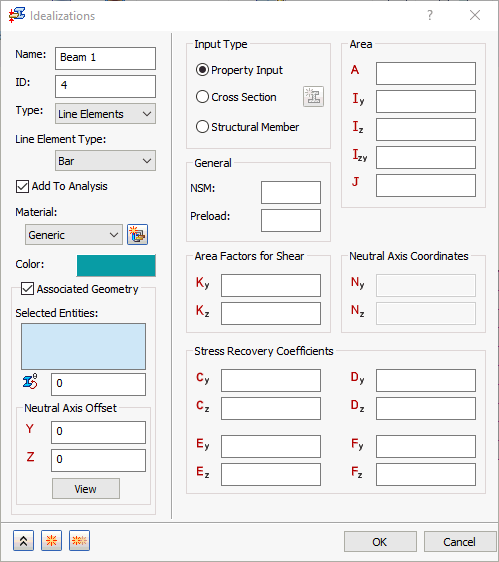
- NSM: A non-structural mass for the line elements will be used in calculations.
- Preload: Defines an axial preload value (not for use in nonlinear solutions).
- Area: Cross section area.
- Iz: Moment of inertia about Zn.
- Iy: Moment of inertia about Yn.
- Izy: Product of inertia.
- J: Torsional Constant.
- Kz: Shear factor in Z.
- Ky: Shear factor in Y.
- Nz: Centroid offset from shear center in Z (appears only for Beam type).
- Ny: Centroid offset from shear center in Y (appears only for Beam type).
- Cz: Z coordinate of stress recovery point C.
- Cy: Y coordinate of stress recovery point C.
- Dz: Z coordinate of stress recovery point D.
- Dy: Y coordinate of stress recovery point D.
- Ez: Z coordinate of stress recovery point E.
- Ey: Y coordinate of stress recovery point E.
- Fz: Z coordinate of stress recovery point F.
- Fy: Y coordinate of stress recovery point F.
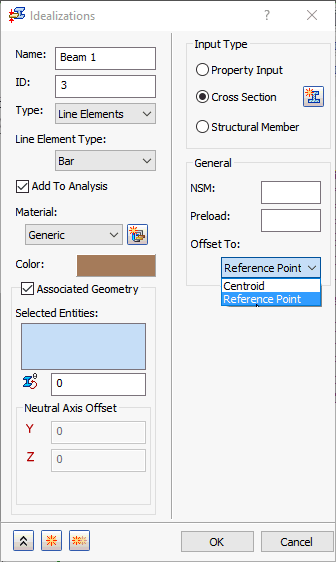
- Cross Section: This option allows you to define the cross section based upon dimensions and section templates. Using the
Cross Section selection you can define a 1D element as a
PBEAML,
PBARL, or
PPIPE. More information can be found in the Autodesk Nastran User’s Manual regarding the significance of using a PBEAML, PBARL, and PPIPE.
- The
 icon brings up the
Cross Section Definition window. This is where the cross sectional dimensions for a Beam, Bar or a Pipe element are defined.
icon brings up the
Cross Section Definition window. This is where the cross sectional dimensions for a Beam, Bar or a Pipe element are defined.
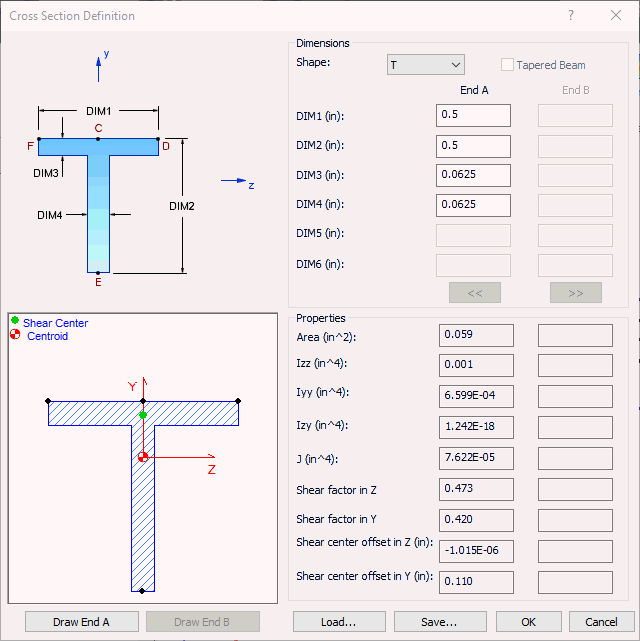
- The general shape of the cross section is selected by using the Shape drop-down list (T, I, Chan, etc.).
- The dimensions are then filled in according to the shape image. DIM1, DIM2, etc.
- Once the cross section dimensions are filled in, the Draw End A or Draw End B buttons may be used to draw the shape based on the dimensions.
- The Tapered Beam option is available, but only when the Element Type is set to Beam. This will allow you to use the End B column of dimensions.
- The
 and
and
 buttons will become active when
Offset To option is set to
Reference Point. This will activate a reference point that can be moved around the cross section as an offset location for a beam. (Typically this is used with stiffening panels.)
buttons will become active when
Offset To option is set to
Reference Point. This will activate a reference point that can be moved around the cross section as an offset location for a beam. (Typically this is used with stiffening panels.)
- The general cross section information (Area, Izz, Iyy, etc.) will be filled in under the Properties section once the cross section is fully defined and valid.
- NSM: A non-structural mass for the line elements will be used in calculations.
- Preload: Defines an axial preload value (not for use in nonlinear solutions).
- Offset To: Defines an offset location and differs for
Beams and
Bars.
- Beams have three options: Shear Center (default), Centroid, and Reference Point.
- Bars have two options: Centroid and Reference Point.
- The
- Structural Member: This option allows you to select an existing structural member. The
Structural Member option defines a 1D element as a
PBEAM, PBAR, or
PPIPE. More information can be found in the Autodesk Nastran User’s Manual regarding significance of using a PBEAML, PBAR, and PPIPE.
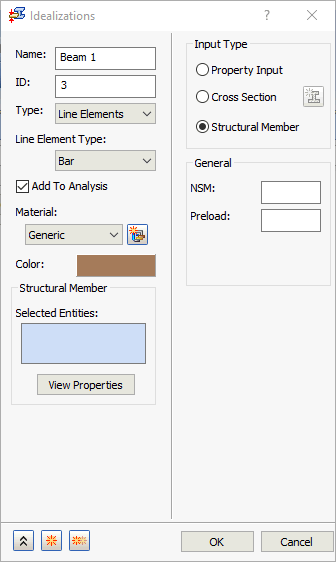
- NSM: A non-structural mass for the line elements will be used in calculations.
- Preload: Defines an axial preload value (not for use in nonlinear solutions). This option is applicable to two Line Element Type options—Beam and Bar.
- Right-click in
Selected Entities box, and the following commands are available from the context menu:
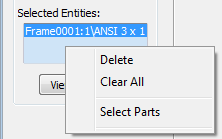
- Delete: Remove the selected item or items from the Selected Entities list.
- Clear All: Remove all items from the Selected Entities list.
- Select Parts (Inventor Only): In Inventor, each structural member created by the Frame Generator has its own Idealization, whether represented by a line element or a solid. Use the Structural Member command to specify which representation to use within the analysis. Since each member is treated as a separate part, and Select Parts is the only selection mode, the Select Parts option is always active (whether checked or not).
- The
 button displays the Section Properties window. This window shows the shape of the cross-section and lists the properties.
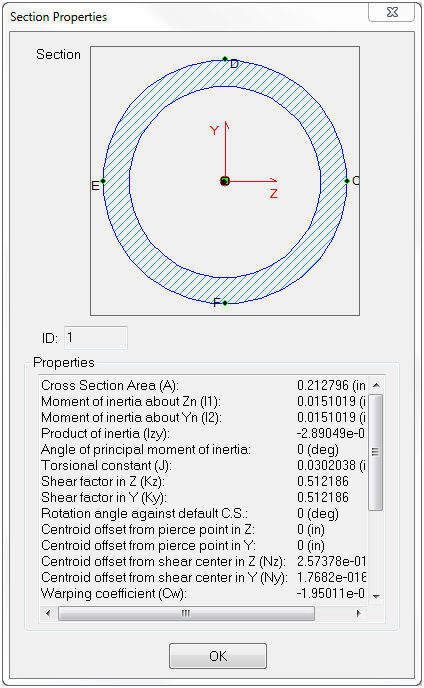
- The general cross section information (Area, Iz, Iy, etc.) is listed in the Properties section for the selected structural member type.
- In Inventor, structural members and their cross-sections (angle iron, c chan, pipe, etc.) are defined using the Frame Generator tool.